
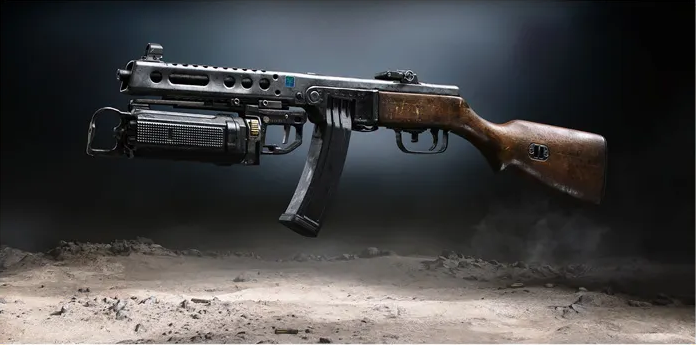
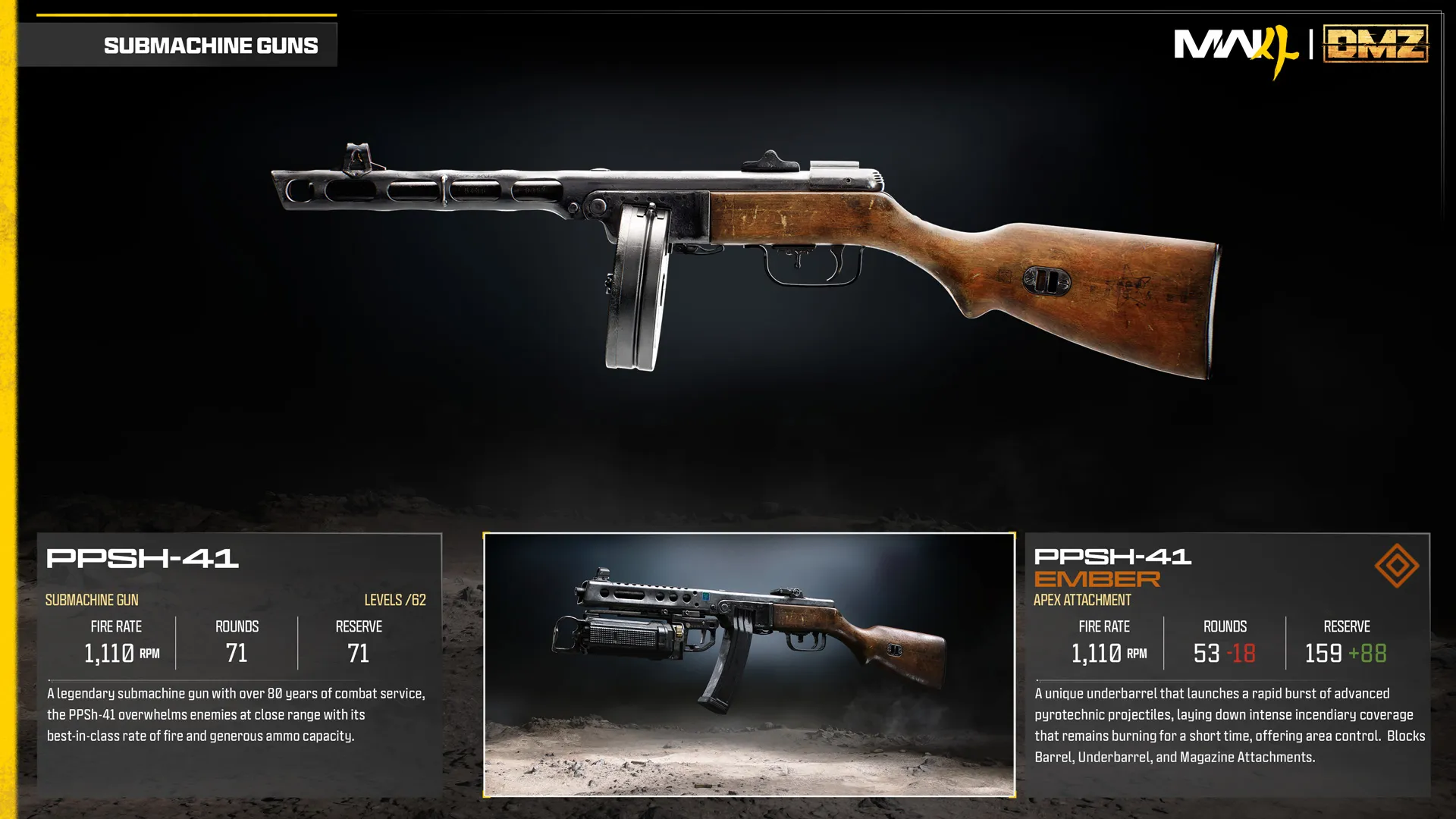
PPSh-41 Ember
Underbarrel pyrotechnic burst creates temporary burning area.
- Slot
- Apex
- Weapon
- PPSh-41
Apex-equipped weapon
Weapon specifications
Published launch-reference values. DMZ and Multiplayer tuning can differ; see DMZ stats and availability.
- Fire rate
- 1,110RPM
- Magazine
- 53rounds
- Reserve ammo
- 159rounds
- Max weapon level
- 62levels
What changes with the Apex?
| Specification | PPSh-41Base weapon | PPSh-41 EmberApex equipped | Change |
|---|---|---|---|
| Fire rateRPM | 1,110 | 1,110 | No change |
| Magazine | 71 | 53 | −18 |
| Reserve ammo | 71 | 159 | +88 |
These values describe the equipped weapon. A separate underbarrel device has its own ammunition where specified below.
Weapon profile
Close-range SMG with a high rate of fire and a large magazine.
Damage, damage ranges, reload times and ADS times are not listed in this reference.
PPSh-41 Ember ↗
- Underbarrel system releases a burst of incendiary projectiles.
- The burning area persists briefly for area control.
Unlock at PPSh-41 level 62.
Uses the separate Apex slot.
Blocked attachment slots
BarrelUnderbarrelMagazine
PPSh-41 attachment slots
OpticMuzzleBarrelUnderbarrelMagazineStockLaserFire Mods
Images
Related
Fits
More Apex attachments
See all 64 →

Also in Arsenal
Something wrong or missing? Send a correction.