MW4 DMZ Execute Intel: Deadtown UAV and Counterfeit Cash
Activate the UAV before clearing the soldiers, then look for the named mission pickup.
For Execute Intel, hack a UAV Tower in Deadtown, eliminate five NK soldiers pinged by the UAV and collect Counterfeit Cash from a pinged soldier. Activate the tower before those kills and inspect the bodies for the named pickup. Ordinary cash does not satisfy the Counterfeit Cash objective.
- Hack a UAV Tower in Deadtown
- Eliminate 5 UAV-pinged NK soldiers
- Pick up Counterfeit Cash from a pinged soldier
- Robbery's extraction value is a separate objective
Counterfeit Cash is a named objective pickup from a UAV-pinged NK soldier. For Execute Intel, get the Deadtown tower running before you clear the nearby soldiers. The Order has three separate checks; finding ordinary money or killing unscanned enemies does not replace them.
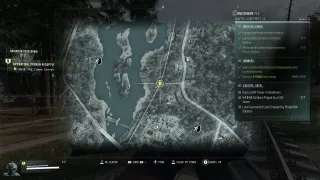
Check the Order before travelling
Open your Orders and find Execute Intel, in Counterfeit part 1. Match the chapter and task name rather than a PG number from a video: page numbers can differ with progression.
| Objective | What to check |
|---|---|
| Hack a UAV Tower in Deadtown | The Deadtown tower requirement ticks after its interaction |
| Eliminate 5 UAV-pinged NK soldiers | The counter increases toward 5 while you kill scanned soldiers |
| Collect Counterfeit Cash | Take the specifically named pickup from a pinged soldier |
Use the Hajin map to orient yourself around Deadtown, then use the active Tac-Map for the tower you can interact with. A UAV Tower is the relevant service; the Lieutenant Hunt tower used by Hunter is a different activity.

Hack the Deadtown UAV first
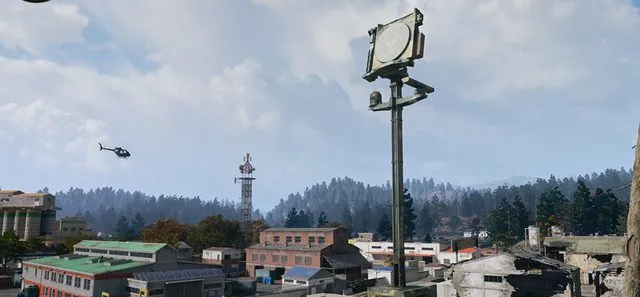
In TroubleChute’s recorded run, the UAV terminal is on a rooftop in southern Deadtown, reached by climbing an exterior pipe. Treat that as an approach example, then follow the tower marker in your own deployment.
Clear enough resistance to reach the terminal and complete the activation. Avoid clearing every nearby soldier before switching it on: you still need targets for the pinged-kill condition. Confirm the first objective has ticked before starting the next step.
Kill scanned soldiers and inspect their drops
With the UAV active, use its scans to identify NK soldiers and watch the five-kill counter as you eliminate them. The activation is not a reason to assume every later kill counts: check the tracker while the targets are being pinged.
Inspect the drops for Counterfeit Cash and take that item. The recorded walkthrough shows it dropping during the scanned-enemy kills and the pickup completing the remaining check. That run does not establish a guaranteed fifth-kill drop or a percentage drop rate.
Before leaving, confirm both the kill counter and cash-pickup objective are complete. Money already in your backpack is not evidence that the named item registered.
If one check stays unfinished
| What you see | Check next |
|---|---|
| The tower step is still active | Verify that you hacked the UAV in Deadtown, rather than only visiting a tower or using another service |
| Kills are not increasing | Check the NK-soldier and UAV-ping conditions before fighting more enemies |
| Five kills complete, cash still unchecked | Inspect the drops for the exact Counterfeit Cash pickup; do not substitute ordinary cash |
| The UAV stops scanning | Check the terminal and active scan state before trying more pinged kills |
There is no substantiated universal reset or guaranteed drop workaround here. If the HUD disagrees with a completed action, keep the exact objective text and the current scan state in view when checking what failed.
Finish the rest of the Counterfeit page
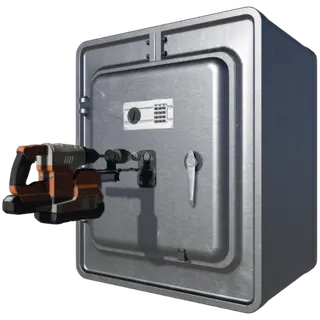
Robbery separately asks you to open a safe and extract with at least 5,000 total backpack and loadout value. That extraction-value condition is not an extra Counterfeit Cash requirement.
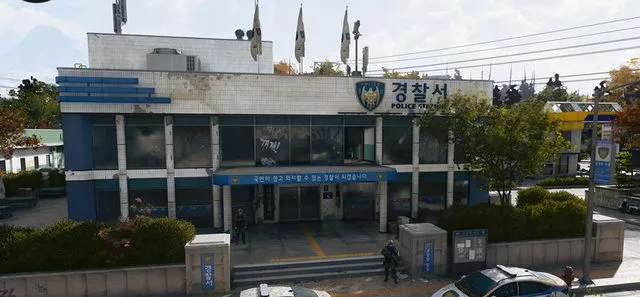
Use the Police Station walkthrough for Hostile Force and the Orders hub for the full page. Finish the remaining Orders and plan a successful extraction to advance the page.
Mentioned in this guide
Spotted something wrong? Send a correction.