

MW4 DMZ Gear Up blocked: missing Medkit workaround
The starting-equipment soft lock now has an announced fix. Check your updated game before trying the earlier workaround.
Jump to a section
Infinity Ward reports fixing the pre-deployment starting-equipment soft lock in its October 20 changes. Install pending updates and retry Gear Up. If you remain blocked, report your current objective and missing equipment to Activision.
- Starting-equipment fix announced
- Fix dated October 20
- Earlier friend-deployment workaround below
- Status checked October 22
Check that this is the same blocker
Gear Up asks you to equip a weapon, backpack, armor vest and Medkit at the FOB. The launch patch notes report a fix for the soft lock caused by selling starting gear or dismissing an equipped Operator before the first deployment. The fix is dated October 20; this guide was checked on October 22.
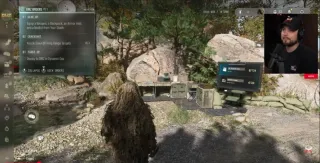
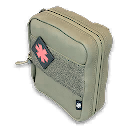
That documented trigger does not explain every missing item or disabled Deploy button. First check which objective your Order tracker actually shows.
Try the official workaround
Update first. The steps below preserve Activision’s earlier workaround for reference; they predate the announced fix.
- Join a friend.
- Deploy with them into DMZ.
- After entering Hajin, check whether your first-Order progress has restored.
After updating, retry the actual objective shown in your Order tracker. A patch announcement does not establish that every disabled Deploy button has the same cause.
If you are still blocked
Keep any remaining required starting equipment while troubleshooting. Avoid treating Operator dismissal, deleting saves or buying an edition upgrade as a proven fix; none is part of the published workaround.
If you cannot join or the tracker stays blocked, note your platform, the current objective, missing equipment and any error message. Report those details through Activision’s known-issues page, which links its bug-report form. There is no verified solo solution or promise to restore sold gear here.
Once Gear Up completes, continue with Crack Shot and First OP in the Orders walkthrough. The day-one checklist covers the next setup steps.
Quick questions
Has the starting-equipment blocker been fixed?
Infinity Ward lists a fix in its October 20 DMZ changes. Update first; report a remaining blocker rather than assuming every missing-item problem has the same cause.
What was the earlier Gear Up workaround?
Activision previously advised joining a friend and deploying into Hajin. That advice predates the announced fix.
Mentioned in this guide
Spotted something wrong? Send a correction.
Keep reading
 Guide · Getting startedMW4 DMZ day 1 checklist: what to do in your first hour Guide · MissionsMW4 DMZ Orders guide: objectives and page rewards Guide · Getting startedMW4 DMZ PC requirements: check your setup before deploying
  Guide · Getting startedMW4 DMZ beginner guide: how your first deployments work