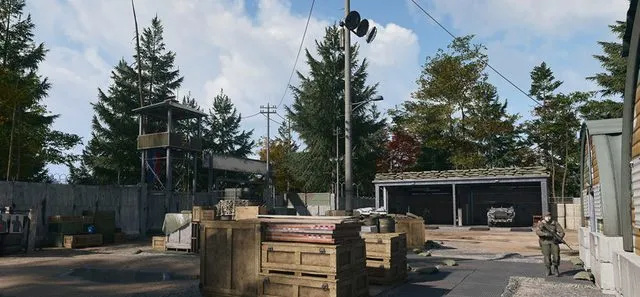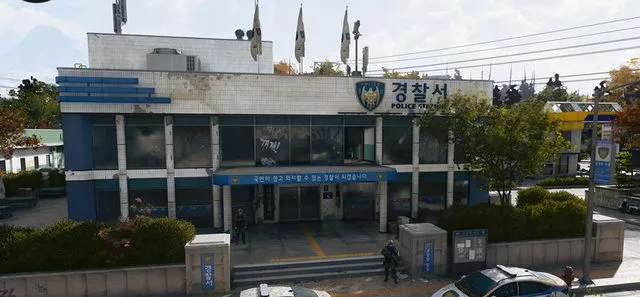
MW4 DMZ Police Station locations: Hostile Force and armory
Find a blue station, finish the three Hostile Force checks, and keep the armory key separate from the building visit.
Find Police Station markers on your Tac-Map and look for a blue building. Our Hajin map has five station references: D2, C4, F4, H5 and G7. For Hostile Force, enter a station, search three containers there and eliminate five soldiers while inside. Opening an armory is a separate task.
- Five Police Station references linked below
- Hostile Force: enter, search 3 containers, eliminate 5 soldiers inside
- Blue exterior; layouts and roof access vary
- Match the armory door to the key you actually carry
A Police Station is a useful stop for military gear and the Hostile Force Order. Choose a nearby station before deploying, then check the building and objective counters when you arrive.
Where are the Police Stations in MW4 DMZ?
The five Police Station references on our Hajin map are linked below. Each link selects the existing station marker. The grid is a navigation reference, not an interior armory-door coordinate.
| Grid | Station marker |
|---|---|
| D2 | Open D2 Police Station on the map |
| C4 | Open C4 Police Station on the map |
| F4 | Open F4 Police Station on the map |
| H5 | Open H5 Police Station on the map |
| G7 | Open G7 Police Station on the map |
Use your current in-game Tac-Map to choose the approach. Stations have a blue exterior, but their architecture differs. Expect resistance and several rooms to search. Some layouts provide roof access; do not assume every station has the same stairs or entrance.
Complete all three Hostile Force objectives
Hostile Force appears on Counterfeit part 1. The official objective panel lists three separate checks:
- Locate and enter a Police Station. Go inside and check that the entry objective registers.
- Search three containers in a Police Station. Follow the container counter while searching the building.
- Eliminate five soldiers while inside a Police Station. Keep your position inside the building for this objective and check the kill counter.
Finishing the entry line does not finish the whole Order. Read both remaining counters before leaving. The listed objectives do not require opening the locked armory, so do not turn the building visit into a key hunt unless you also want the locked room.
If a counter is not moving, re-read the active objective and confirm your position and remaining count. Do not assume every kill outside the building or every container nearby satisfies the wording.
Find the observed basement armory entrance
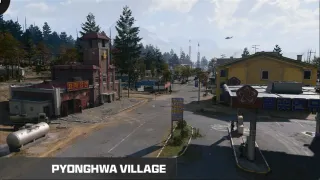
Original gameplay shows a station visit with Pyeonghwa Village on the HUD. For that observed Police Station Armory route:
- Enter the blue station and cross the lobby toward the offices and staircase.
- Find the wooden-railed stairs and descend to the basement.
- Continue past the holding cells toward the caged counter/window.
- Check the grey-green door beside it and match the Police Station Armory lock to your carried key.
This is an observed building route, not a universal layout for all five map references. The station markers above do not resolve the exact door or key identity by themselves.
Which Police Station key do you need?
The Police Station Key is listed in the Level 19 Recon Equipment Kit. Open the appropriate kit at the FOB and inspect the key’s description before planning a locked-room visit. The kit listing alone does not establish that its key opens every station’s armory.
Police Weapon Depository is a different named key. Its community description points to an auxiliary police armory north of the station around Wolves Stadium. Do not treat the two names as interchangeable. Use the Key Finder to separate where a key is obtained from where it is used.
Finish the rest of Counterfeit part 1
The page also includes Robbery and Execute Intel. They have their own requirements: a safe and extracted value for Robbery, and the Deadtown UAV/pinged-soldier cash sequence for Execute Intel. Ordinary station kills do not replace those checks.
Use the Orders walkthrough for the full page and the safes guide when you reach Robbery. Leave backpack space for useful loot and plan your extraction before the station search turns into a prolonged fight.
Mentioned in this guide
Spotted something wrong? Send a correction.