
MW4 DMZ Survival Kits: contents, keys and when to open them
Open the kit that solves your next deployment's shortage instead of unpacking every reward immediately.
Jump to a section
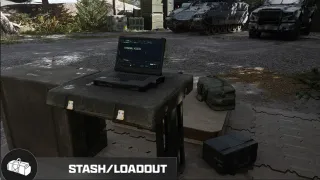
Open earned kits at the FOB Survival Kits station to move their contents into your Stash, then equip what you need. Unopened kits stack without limit. Inspect the reward level as well as the name: the level 19 and level 46 Recon Equipment Kits contain different keys.
- Survival Kits station available from the start
- Unpacked contents move into the Stash
- Unopened kits can stack without limit
- Kit contents can differ by reward level
Missing armor, healing or a progression key? Inspect your earned kits before spending cash or starting a loot run. The Survival Kits station is available from the start and moves an opened kit’s contents into your Stash.
Open a kit and equip its contents
- Return to the FOB and open Survival Kits.
- Select an earned kit and inspect its contents. Check the reward level when more than one version shares a name.
- Open the kit to transfer its supplies into your Stash.
- Move the equipment or key you want from the Stash into your Operator’s loadout.
- Check the equipped backpack, vest, weapon, healing and any objective item before deploying.
Opening a kit is not the same as equipping its contents. If you claimed a key or Medkit but cannot find it on your Operator, check the Stash before assuming it disappeared.
Choose a kit for your current shortage
| Need | Kit and DMZ reward level | Listed contents |
|---|---|---|
| Replace armor | Basic Armor Kit, 6 or 21 | 2-Plate Carriers and an Armor Box |
| Replace a backpack and resupply | Restock Kit, 8 or 24 | Medium Backpacks, Munitions Box and Armor Box |
| Restock basic healing | Basic Triage Kit, 11 | Bandages, Med Kit, Painkillers and Radiation Blockers |
| More recovery supplies | Triage Kit, 27 | Bandages, Med Kits, Self Revives and Painkillers |
| Advanced recovery equipment | Advanced SERE Kit, 70 | Operator Rescue Beacons, Weapon Insurance Contracts, Self Revives and Med Kits |

These are listed content types. Do not infer an exact quantity for every item where the reward list does not give one. Inspect the actual kit before planning several deployments around its contents.
Equipment kits can contain keys
The throwables and gadgets are only part of the reward. These kit versions list a key:
| Kit | DMZ level | Key inside |
|---|---|---|
| Explosives Equipment Kit | 16 | Gun Store Weapons Locker Key |
| Recon Equipment Kit | 19 | Police Station Key |
| Trap Equipment Kit | 42 | Gun Store Weapons Locker Key |
| Recon Equipment Kit | 46 | Black Market Weapons Locker Key |

The two Recon rewards differ. A level 19 kit is not a way to claim the level 46 Black Market key early. Once you open the right kit, use the Key Finder to inspect its matching destination and the Weapons Locker guide for the Gun Store basement references.
When to leave kits unopened
Unopened kits can stack without limit. That makes them useful reserves when you do not currently need their supplies. Before opening one, compare its contents with your Stash space and the loadout you are building.
For example, if your next trip only needs a replacement Medkit, inspect the healing kits first. Opening several armor and equipment kits adds items that do not address that shortage. If a kit contains a key for a planned room visit, open it when you are ready to prepare that run.
This is inventory planning, not a claim that unopened kits insure a deployed Operator. Once you equip gear and take it into Hajin, normal retention and Secure Slot rules apply.
Use kits alongside your other progression
Kits can come from DMZ levels, Orders, missions and events. The table here focuses on recorded level rewards; it is not a complete schedule of every event or mission payout. Check the level rewards guide for the wider progression list.
If you are recovering after a loss, combine the kit you actually need with the free-loadout and regain guide. If your next goal is a permanent upgrade, unpacking a kit does not replace its cash and ingredient requirements.
Quick questions
Where do I open Survival Kits?
At the Survival Kits station in the FOB. Opening a kit transfers its contents to your Stash; then prepare your Operator's loadout.
Should I open all my kits immediately?
You do not need to. Unopened kits stack without limit, so inspect their contents and open the ones you need rather than filling the Stash without a plan.
Do both Recon Equipment Kit rewards contain the same key?
No. Level 19 lists the Police Station Key, while level 46 lists the Black Market Weapons Locker Key.
Mentioned in this guide
Spotted something wrong? Send a correction.
Keep reading
 Guide · ProgressionMW4 DMZ level rewards: your roadmap from Level 1 to 70 Guide · Getting startedMW4 DMZ Free Loadout guide: rebuild after losing your gear
  Guide · Gear & craftingMW4 DMZ FOB upgrades: what to work toward first
  Guide · Gear & craftingMW4 DMZ Secure Slots: what survives death and disconnects?