

MW4 DMZ Breaking New Ground: first mission walkthrough
Follow the opening objectives and recognize the handoff to your first Operator.
Follow Rex to the drone, treat your wounds, scout Deadtown and enter the facility through the canal. Upload the black-box data and follow the exit objective. The scripted ending leads to Operator recruitment and the FOB.
- Introductory operation, separate from the six selectable Story Missions
- Use your current interaction prompts
- Operator recruitment follows the scripted ending
If the introduction ended in an ambush, continue to the Operator screen. Breaking New Ground introduces DMZ before your normal deployments begin. This guide contains the ending, so stop before that section if you want to avoid the spoiler.
Follow the opening objectives
Keep the current objective visible and use the interaction prompt shown for your platform. The route below is documented in recorded gameplay and the reported walkthrough.
| Stage | What to do |
|---|---|
| Drone | Follow Rex, clear the guard and search the wreck |
| Injury | Use the Tourniquet prompt, then move Rex to safety |
| Village | Find and use the Medkit in Deadtown |
| Scouting | Reach the vantage point and inspect the route |
| Facility | Take the canal, enter the facility and locate the black box |
| Exit | Finish the upload, follow the exit marker and breach the blocked door |
Pause after an interaction to check the next objective. If it still asks for a search or upload, reaching the destination alone has not established completion.
Healing and scouting before the facility
The introduction demonstrates why wound treatment matters. Follow its Tourniquet and Medkit instructions in order. In later runs, keep this distinction in mind when choosing what medical supplies to carry.
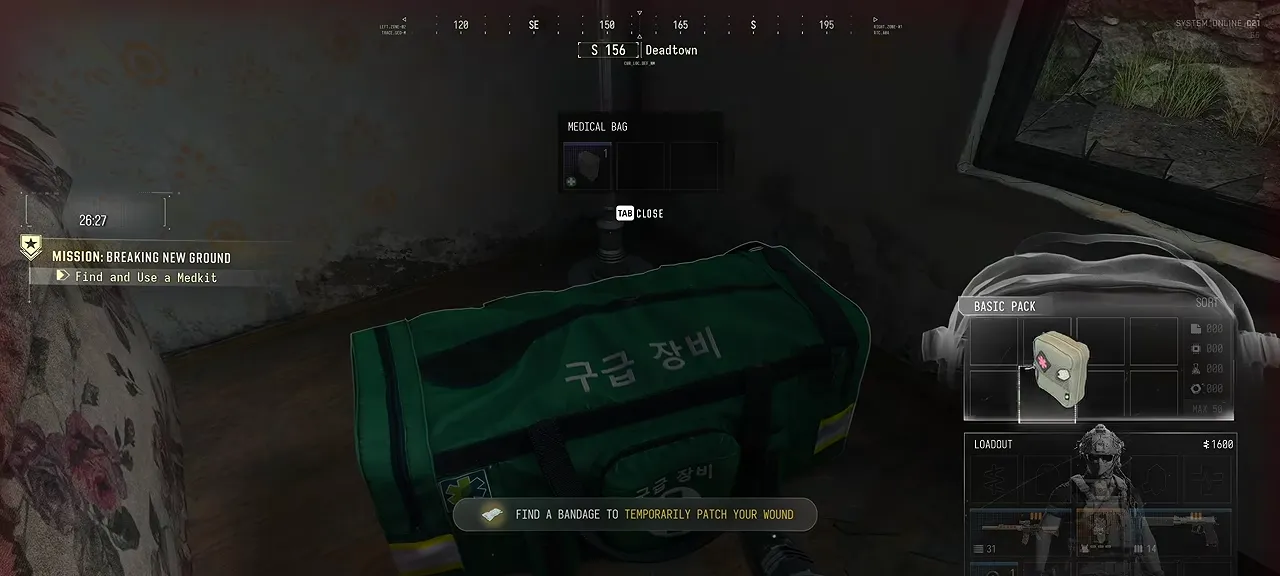
At the scouting stage, take time to look before moving. The stealth guide explains detection during normal deployments; use it after the introduction if you are drawing more attention than expected.
Upload the black box and leave
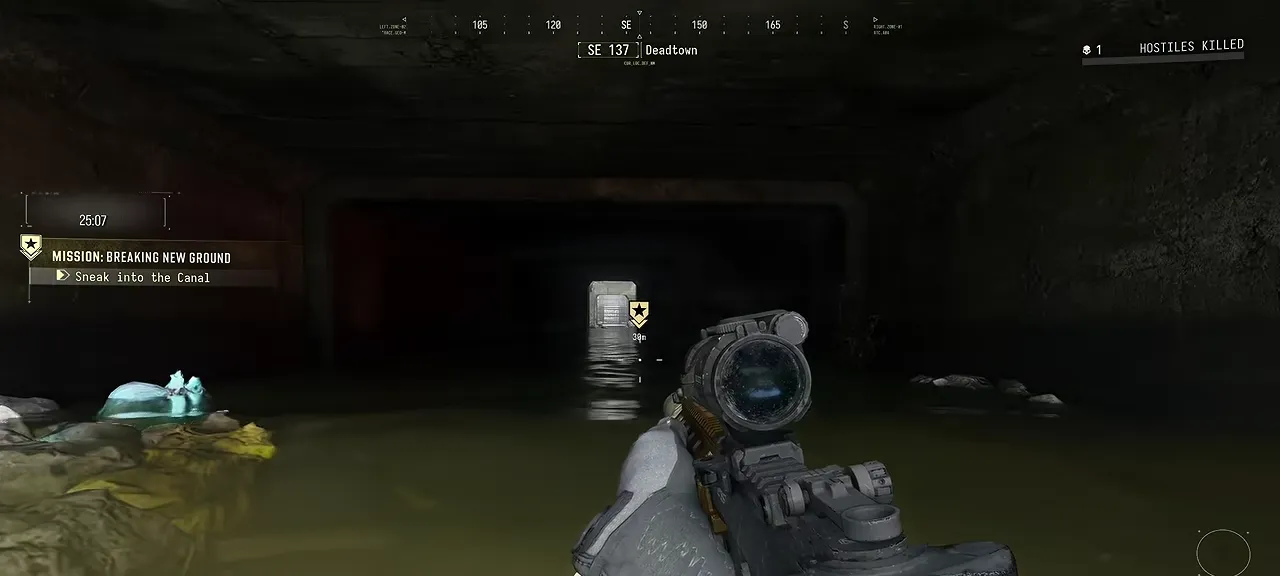
At the terminal, finish the prompted upload before following the exit waypoint. Use the breaching interaction at the blocked door when instructed. Follow the objective’s route rather than searching for an ordinary public exfil somewhere else on Hajin.
If progression stops here, install the current update first. Infinity Ward’s launch notes address the door-breach crash and the tablet failing after the drone search. Those are historical fixes, not proof of a current outage or a guaranteed workaround for every crash.
The ending and your first FOB tasks
The final ambush is scripted. Continue through the cinematic, recruit your Operator and open the FOB Orders panel. You are ready for Gear Up, Crack Shot and First OP.
Use the Day 1 checklist to prepare your first normal deployment. For the six selectable missions afterward, use the Story Missions hub.
The interactive map is a reference for normal deployments. It does not change the introduction’s scripted route.
Quick questions
Did I fail Breaking New Ground at the ending?
The ambush is scripted. Continue through the cinematic to Operator recruitment and the FOB.
Is Breaking New Ground one of the six selectable Story Missions?
It is the introductory operation before normal FOB play. Our six-mission walkthrough hub covers the separate Story Mission menu.
Spotted something wrong? Send a correction.
Keep reading
 Guide · Getting startedMW4 DMZ day 1 checklist: what to do in your first hour
  Guide · Getting startedMW4 DMZ health and healing: wounds, the Tourniquet and every heal
  Guide · MissionsMW4 DMZ Orders guide: objectives and page rewards
  Guide · MissionsMW4 DMZ Story Missions: walkthroughs, objectives and rewards