

MW4 DMZ Broken Resupply walkthrough: server, bomb, safe and WMD
Follow the objective sequence, not somebody else's vehicle location or keypad number.
Jump to a section
Hack the marked Comms Server, defend it, collect the marked bomb, find the keypad code in the assigned safe, unlock the marked room and plant the bomb on the WMD. Bomb containers, locations and displayed keypad numbers differ between reported runs. Use your current objective markers and code.
- Hack and defend before collecting the bomb
- Bomb container can differ between runs
- Find the code in the marked safe
- Plant the bomb on the WMD to finish
Broken Resupply is a chain of objectives, not only a server hack. Finish the current step and follow its next waypoint until you plant the bomb on the WMD and receive the completion banner.
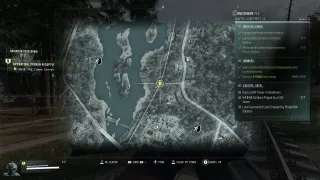
Start with the active operation panel
You can receive a Dynamic Op through the deployment mode or activate one from a field phone. Confirm that the active panel says Broken Resupply before following this sequence. Selecting Dynamic Operations does not guarantee that every deployment assigns this particular operation.

Bring a usable combat loadout, armor and healing, then check extraction time before committing to the chain. Distances between objectives can change. A waypoint near another activity is not a reason to complete that unrelated activity first.
The six-stage checklist
| Stage | Your action | Check before moving on |
|---|---|---|
| 1. Hack the Comms Server | Reach the marked server and complete its interaction | The server-defense objective begins |
| 2. Defend the Location | Hold the required area while the defense progresses | Wait for the step-complete update |
| 3. Loot the Marked Item | Search the assigned container and collect the bomb | Confirm the item pickup advances the tracker |
| 4. Find the Keypad Code in the Safe | Reach and interact with the marked safe | Read the code in your current objective |
| 5. Unlock the keypad | Enter those digits at the marked secure door | The door opens and the WMD objective appears |
| 6. Plant the Bomb on the WMD | Complete the marked planting interaction and move clear | Wait for Operation Complete |
Follow your own markers between stages. The same operation has been reported in different locations, so a screenshot of a named building is a route example rather than a fixed start requirement.
Find the bomb in the container your run assigns
One documented run uses a vehicle trunk; another uses a hidden cache. Both serve the marked-item step. If your tracker sends you to a cache, do not abandon it to find a camper from a different player’s guide.
Open the assigned container, collect the mission item and check the objective update. Reaching the container without taking the item is not the same action. If the step remains active, inspect the contents and exact pickup prompt before travelling to a later stage.
Use the safe’s code, not a fixed online number
The next search is the marked safe. Find the code through that objective, then read the digits displayed for your current keypad stage.
Published runs show different numbers. This guide therefore supplies the discovery method rather than one “correct” password. Confirm the safe objective is complete and use the keypad belonging to Broken Resupply; another lock in the same district can belong to a different activity.
See the keypad and mission-code guide if you are trying to distinguish a numeric keypad from a named key door. The ordinary safes guide explains safe opening, but this operation requires its assigned safe rather than any safe you happen to find.
Plant, confirm completion and decide whether to leave
Enter the unlocked objective area, find the marked WMD and complete the planting interaction. Move clear and watch for Operation Complete before treating the chain as finished.
Check for the operation reward drop before departing. Its contents are not a guaranteed named recipe or weapon. Other Orders can remain active after this operation ends; a Compound, Lieutenant or SAM objective shown elsewhere on the HUD is not automatically another Broken Resupply stage.
If you are also completing Operation Rewards, check its separate phone-location and crate-looting requirements. Use the Dynamic Ops guide to plan another operation, or head for exfil with the loot you already earned.

Quick questions
What is the Broken Resupply keypad code?
Find it through the current run's marked safe objective and read the displayed digits. Different reported runs show different codes; a number copied from one walkthrough is not universal.
Where is the bomb?
Follow Loot the Marked Item and inspect the assigned container. Reported runs have used a vehicle trunk and a hidden cache, so do not assume every run sends you to the same vehicle.
Does finishing the server defense complete the operation?
No. The recorded sequence continues through collecting the bomb, finding the code, unlocking the room and planting on the WMD. Wait for Operation Complete.
Mentioned in this guide
Spotted something wrong? Send a correction.
Keep reading
Guide · MissionsMW4 DMZ Dynamic Ops and Side Ops: objectives and walkthroughs 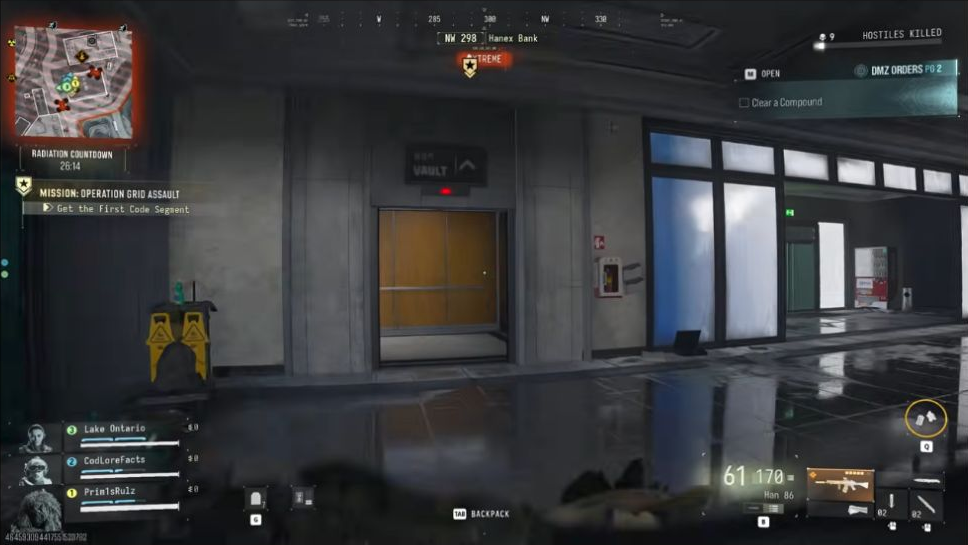 Guide · MissionsMW4 DMZ keypad codes: find your mission's code and the right lock
  Guide · MissionsMW4 DMZ safes: where to search and how to finish Robbery
  Guide · Getting startedMW4 DMZ exfil guide: helicopters, flares and Fulton