

MW4 DMZ Triangulation: radio towers and La Grande Vie roof
Two tower placements, then the rooftop interaction in Songdo Wharf.
Triangulation requires transmitters on two different radio towers and one on top of La Grande Vie in Songdo Wharf. Climb the marked radio towers and use their placement prompts. At La Grande Vie, the recorded route uses a southern-side elevator, top-floor stairs and the raised roof section for the last transmitter.
- Radio towers: check 2/2 placements
- La Grande Vie: separate rooftop objective
- Elevator → top-floor stairs → raised roof
- Use the placement prompt, then check progress
Reach the placement prompt at the top of each structure. Triangulation has a two-radio-tower counter and a separate La Grande Vie rooftop objective. Standing on a roof without placing its transmitter does not finish the task.
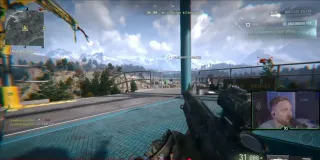
Find the right structures
Pin Triangulation in your Orders and inspect the Order Objective markers on the Tac-Map. Use the Hajin map for orientation, then choose the marked radio towers in your current deployment. Do not assume every tall structure or UAV terminal is a valid placement point.
The recorded walkthrough follows two tower markers, then travels east to Songdo Wharf for La Grande Vie. Planning the journey toward the wharf avoids returning across the map after the two climbs. Check the radiation timer before committing to the rooftop detour.
Place the two radio-tower transmitters
- Reach the base of a marked radio tower and climb its ladders to the upper platform.
- Move around that platform until Plant Radio Transmitter appears. Complete the interaction.
- Check that the radio-tower objective advances to 1/2.
- Travel to a different marked radio tower, climb it and repeat. Confirm 2/2 before moving on.
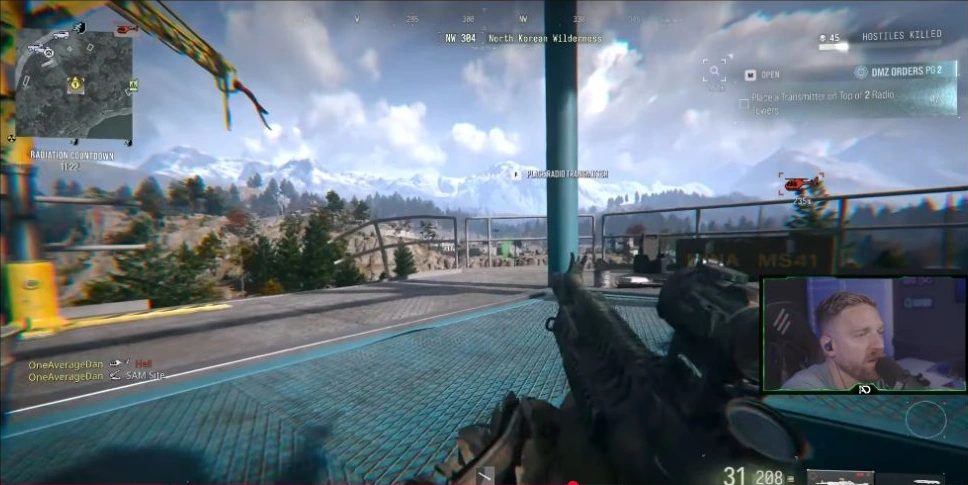
The upper-platform interaction is the useful landmark. Repeating a completed tower is not a substitute for finding the second objective. If progress remains at 1/2, reopen the map and check the remaining Order marker rather than repeatedly interacting with the same structure.
Reach La Grande Vie’s roof
The La Grande Vie transmitter objective refers to the building in Songdo Wharf. TroubleChute’s route, shown from 2:55, reaches the roof this way:
- Enter through a ground-level door.
- Find the pair of elevators on the southern side of the building and ride one up.
- On the top floor, move around to the staircase leading onto the roof.
- From the roof, climb onto the raised upper section and find the transmitter interaction there.
- Place it and check that the La Grande Vie objective ticks.
Watch the original rooftop approach if you need to match the elevator, stairs and final roof level to the building in front of you. This is a demonstrated route, not a promise that the entrance or roof will be undefended in your match.
On the roof but no prompt?
Check which level of the roof you reached. The demonstrated placement is on the raised section beyond the stair exit, not simply anywhere outdoors. Keep Triangulation’s marker and the exact rooftop objective visible as you search.
If the two towers are complete but the Order is unfinished, check the separate building objective. If La Grande Vie is complete but the counter remains 1/2, you still need another radio-tower placement. Neither objective replaces the other.
The footage shows the transmitter interactions without a separate shopping or crafting step. Do not leave the route to look for an invented transmitter recipe or key requirement.
Before extracting
Confirm 2/2 radio towers and the La Grande Vie check. Then review Eye in the Sky and Watch for Bumps in the Underground part 1 checklist. The Orders page advances after its remaining tasks and a successful exfil; completing Triangulation alone does not automatically complete the other Orders.
Mentioned in this guide
Spotted something wrong? Send a correction.

