Skip to content
DMZ CODEX · HAJIN EXCLUSION ZONE UPDATED 24 OCT 2026 MW4 DMZ IS LIVE Sign in
Codex / Operations / Loot Radio Tower Updated 24 Oct 2026
Operation

Loot Radio Tower

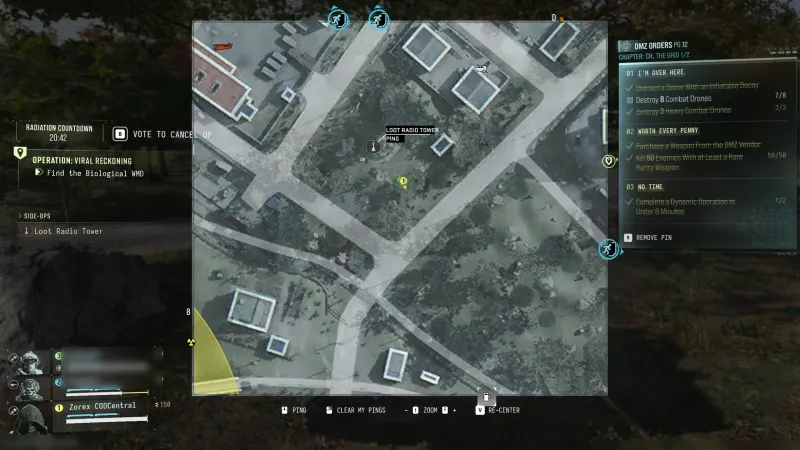
Climb the active loot tower and complete its top interaction.

Side Ops

Your objectives

All operations →
  1. 1Locate the active Loot Radio Tower.
  2. 2Climb the exterior route and complete the top interaction.

Walkthrough

  1. 01Confirm the named Side Op. D8 near Imjin Farmland and C6 are reported encounters, not guaranteed fixed spawns.
  2. 02Find the fence opening and first ladder. Look left for a ledge where the ladder ends, then follow exterior platforms and hazard stripes.
  3. 03Complete the top container or interaction and check credit. Lower the teammate rappel where prompted.

Related

Useful connections

Guides that cover this

GuideMW4 DMZ Dynamic Ops and Side Ops: objectives and walkthroughs

Something wrong or missing? Send a correction.

DMZ CODEX · IPHONE & IPAD

Add to your Home Screen

Installation won’t start automatically. Follow these steps in Safari.

  1. 1. Open this site in Safari

    Already in Safari? Continue below. In another app, choose Open in browser, then open Safari.

    dmzcodex.com/install/
  2. 2. Tap Share

    Look for the square with an arrow pointing up. It may be inside Safari’s More (…) menu.

  3. 3. Add to Home Screen → Add

    Scroll through the Share menu; tap View More if needed. Keep Open as Web App on if shown, then tap Add.

Look for the yellow DMZ Codex icon on your Home Screen.