
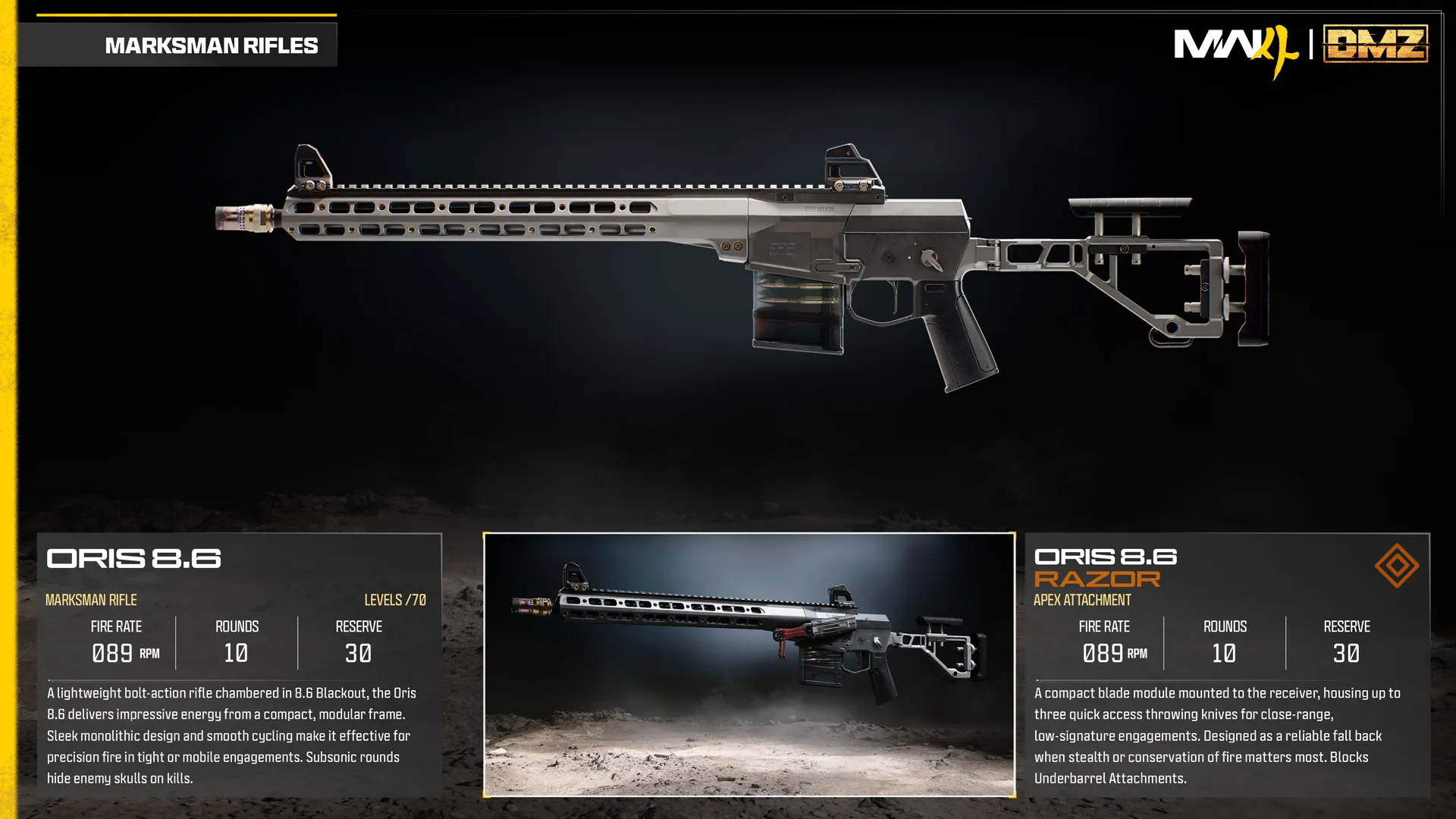
Oris 8.6 Razor
Receiver module carries up to three throwing knives.
- Slot
- Apex
- Weapon
- Oris 8.6
Apex-equipped weapon
Weapon specifications
- Fire rate
- 89RPM
- Magazine
- 10rounds
- Reserve ammo
- 30rounds
- Max weapon level
- 70levels
What changes with the Apex?
| Specification | Oris 8.6Base weapon | Oris 8.6 RazorApex equipped | Change |
|---|---|---|---|
| Fire rateRPM | 89 | 89 | No change |
| Magazine | 10 | 10 | No change |
| Reserve ammo | 30 | 30 | No change |
These values describe the equipped weapon. A separate underbarrel device has its own ammunition where specified below.
Weapon profile
- Ammunition
- 8.6 Blackout, subsonic
- Firing mode
- Bolt action
Lightweight modular precision rifle.
- Subsonic rounds hide enemy skull markers on kills.
Damage, damage ranges, reload times and ADS times are not listed in this reference.
Oris 8.6 Razor ↗
- Receiver-mounted blade module carries up to three throwing knives.
- Provides a quiet close-range option while conserving ammunition.
Unlock at Oris 8.6 level 70.
Uses the separate Apex slot.
Blocked attachment slots
Underbarrel
Oris 8.6 attachment slots
OpticMuzzleBarrelBoltUnderbarrelMagazineRear GripStockLaserAmmunition
Related
Fits
More Apex attachments
See all 64 →


Also in Arsenal
Something wrong or missing? Send a correction.