
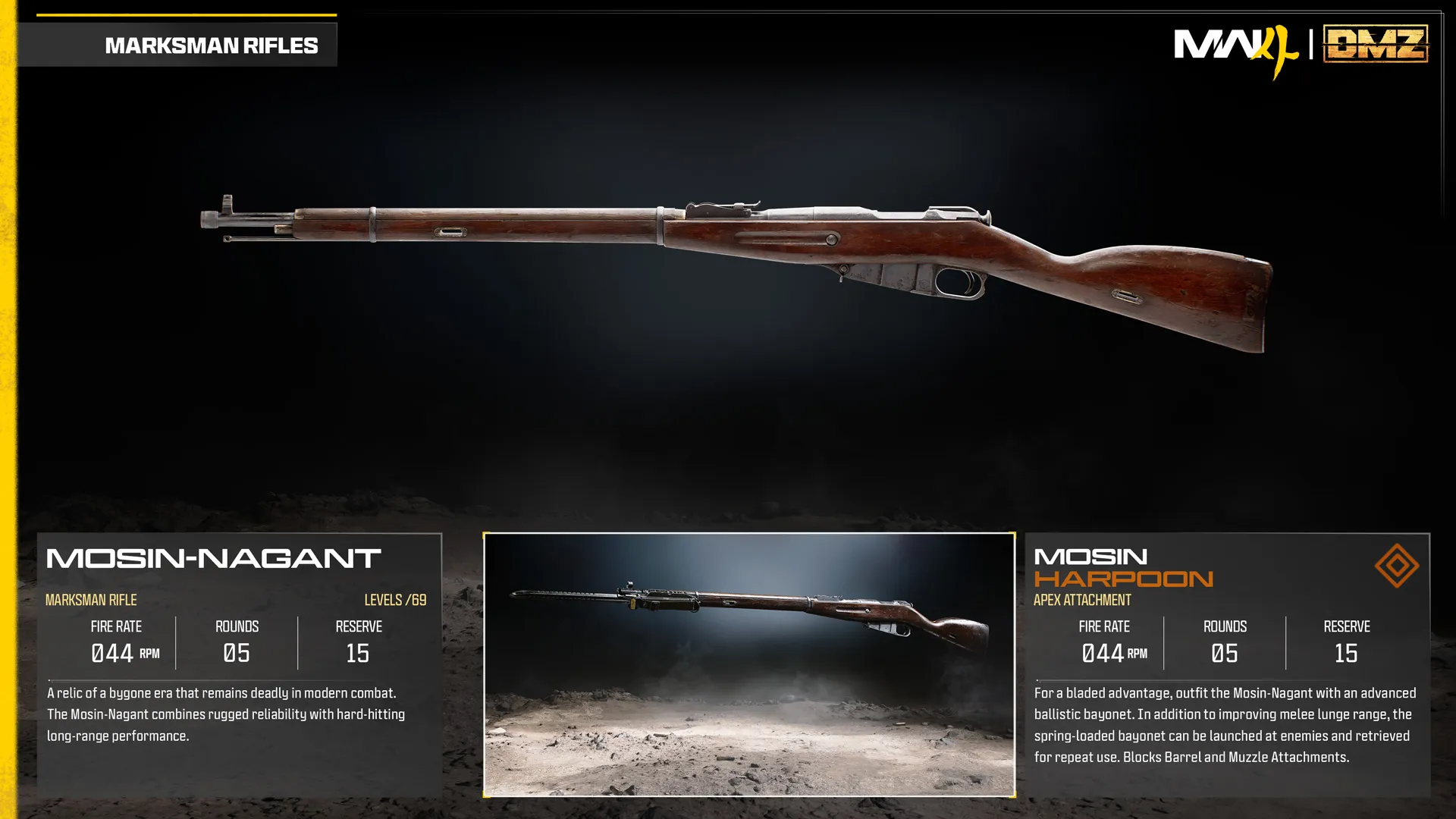
Mosin Harpoon
Launchable and recoverable bayonet; increases melee reach.
- Slot
- Apex
- Weapon
- Mosin-Nagant
Apex-equipped weapon
Weapon specifications
- Fire rate
- 44RPM
- Magazine
- 5rounds
- Reserve ammo
- 15rounds
- Max weapon level
- 69levels
What changes with the Apex?
| Specification | Mosin-NagantBase weapon | Mosin HarpoonApex equipped | Change |
|---|---|---|---|
| Fire rateRPM | 44 | 44 | No change |
| Magazine | 5 | 5 | No change |
| Reserve ammo | 15 | 15 | No change |
These values describe the equipped weapon. A separate underbarrel device has its own ammunition where specified below.
Weapon profile
Long-range rifle emphasizing reliability and per-shot impact.
Damage, damage ranges, reload times and ADS times are not listed in this reference.
Mosin Harpoon ↗
- Adds a spring-loaded ballistic bayonet with greater melee lunge range.
- The bayonet can be launched, recovered and used again.
Unlock at Mosin-Nagant level 69.
Uses the separate Apex slot.
Blocked attachment slots
BarrelMuzzle
Mosin-Nagant attachment slots
OpticMuzzleBarrelBoltUnderbarrelMagazineStockLaserAmmunition
Related
Fits
More Apex attachments
See all 62 →

Also in Arsenal
Something wrong or missing? Send a correction.