
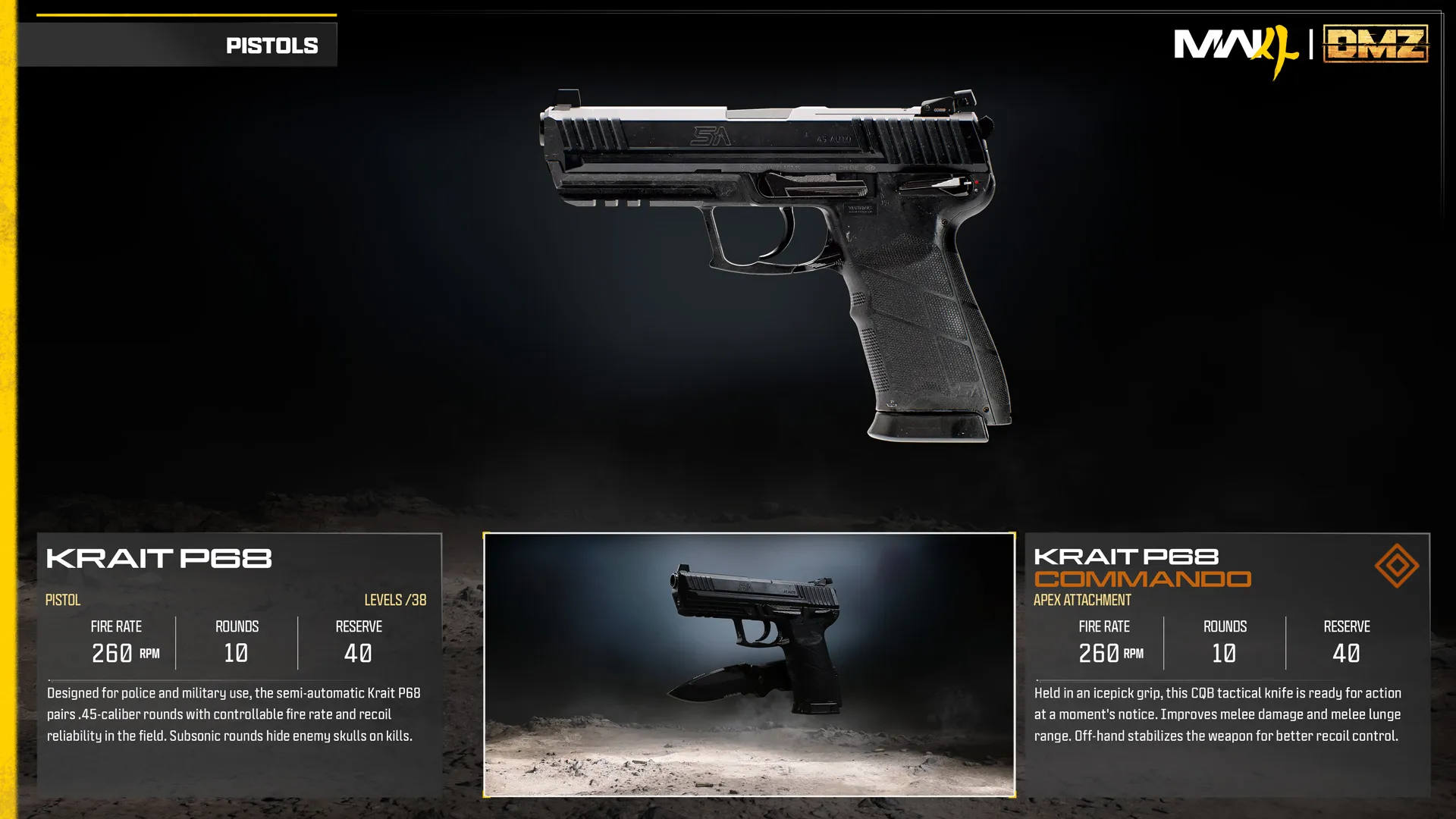
Krait P68 Commando
Integrated knife increases melee damage/reach; off-hand aids recoil control.
- Slot
- Apex
- Weapon
- Krait P68
Apex-equipped weapon
Weapon specifications
- Fire rate
- 260RPM
- Magazine
- 10rounds
- Reserve ammo
- 40rounds
- Max weapon level
- 38levels
What changes with the Apex?
| Specification | Krait P68Base weapon | Krait P68 CommandoApex equipped | Change |
|---|---|---|---|
| Fire rateRPM | 260 | 260 | No change |
| Magazine | 10 | 10 | No change |
| Reserve ammo | 40 | 40 | No change |
These values describe the equipped weapon. A separate underbarrel device has its own ammunition where specified below.
Weapon profile
- Ammunition
- .45 caliber, subsonic
- Firing mode
- Semi-automatic
Sidearm with a controlled firing rate and recoil.
- Subsonic rounds hide enemy skull markers on kills.
- The article types the rate unit as BPM; the panel clearly labels 260 RPM.
Damage, damage ranges, reload times and ADS times are not listed in this reference.
Krait P68 Commando ↗
- Adds a tactical knife held in an icepick grip for stronger melee attacks and greater lunge reach.
- The off-hand stabilizes the pistol for improved recoil control.
Unlock at Krait P68 level 38.
Uses the separate Apex slot.
Blocked attachment slots
No slot restrictions are specified in the published description.
Krait P68 attachment slots
OpticMuzzleBarrelTrigger ActionMagazineRear GripLaserAmmunition
Related
Fits

More Apex attachments
See all 62 →
Also in Arsenal
Something wrong or missing? Send a correction.