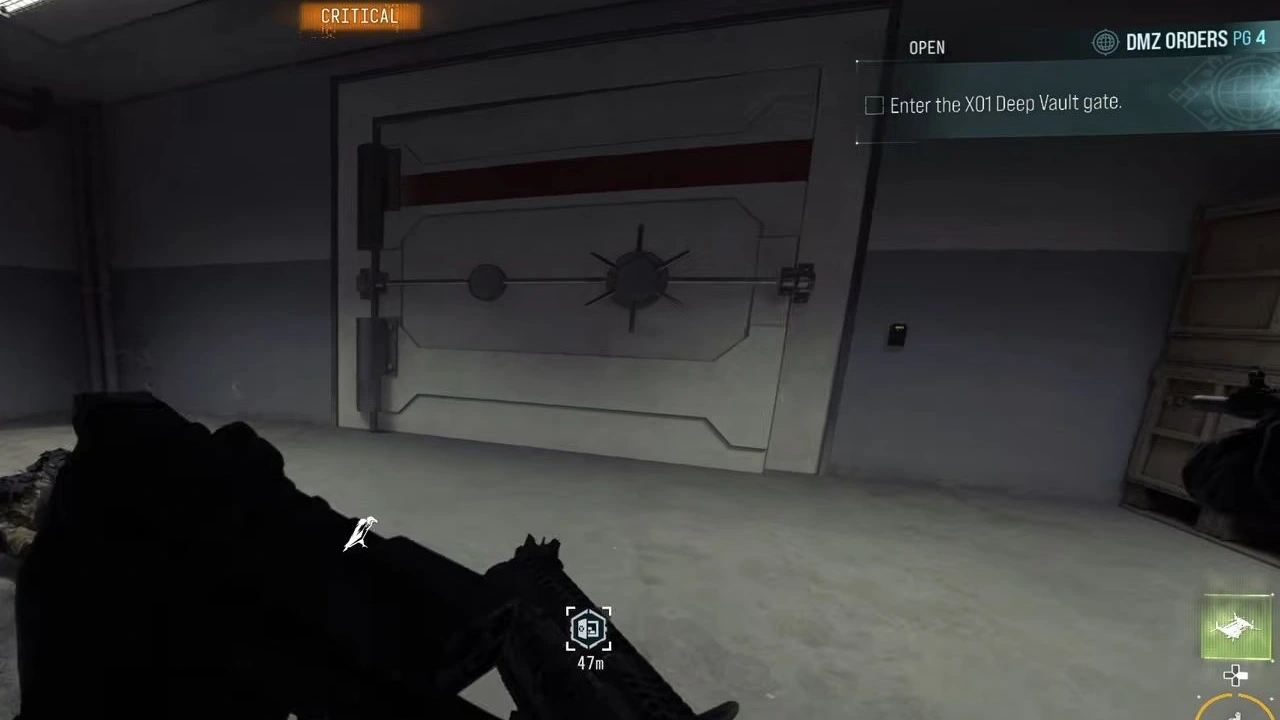
X01 Deep Vault: keys, Encoder choices and the core
Choose gate access, a numbered room or the core objective before entering. Keep enough time to return through the side shaft and reach an active exit.
Use a Deep Vault access card at the gate at C2, then match a numbered room to its own key. For the Executive branch, encode a blank card with Executive Access, open the Executive Room in Admin Offices and check its desk for Deep Vault 406. To return from the Vault, force open the side lift doors, ascend the rope and use the switch beside the upper return gate; extraction is a separate journey.
- Deep Vault gate access and a matching numbered room are separate key interactions
- Check The Captain’s loot for Deep Vault 301; availability is not guaranteed
- Supply Depot offers Maintenance/Executive; Data Center offers Engineering/Audit Officer
- Executive Access produces an Executive Room card for Admin Offices
- Check the Executive Room desk for Deep Vault 406; availability is not guaranteed
- Use Force Open and Ascend to return through the side shaft
Find your key or locked room
- Encodable Blank Keycard
- Maintenance Room
- Executive Room
- Small Test Chamber
- Audit Room
- Deep Vault 301
- Deep Vault 406
- X01 Vault DRC Locker Key
Use Deep Vault 301 to open the Vault gate at C2. The main gate, a numbered loot room and the core objective are separate steps. To return, use Force Open at the side lift doors, Ascend on the rope and reopen the upper gate. You still need an active X01 exit to extract.
This guide covers gate access, the Encoder → Executive Room → 406 branch and the side-shaft return. Keep the X01 map open for named areas, and use the exfil guide to choose an active exit before starting a longer visit.
Bring the key for the interaction you intend to use
| Item | Its job in this route |
|---|---|
| Deep Vault 301 | Access the Vault gate, then separately open the matching Room 301 if you choose to spend it there |
| Encodable Blank Keycard | Input for the Keycard Encoder Station |
| Executive Room card | Open the named room in Admin Offices after choosing Executive Access |
| Deep Vault 406 | Open the matching numbered Vault room after finding its card |
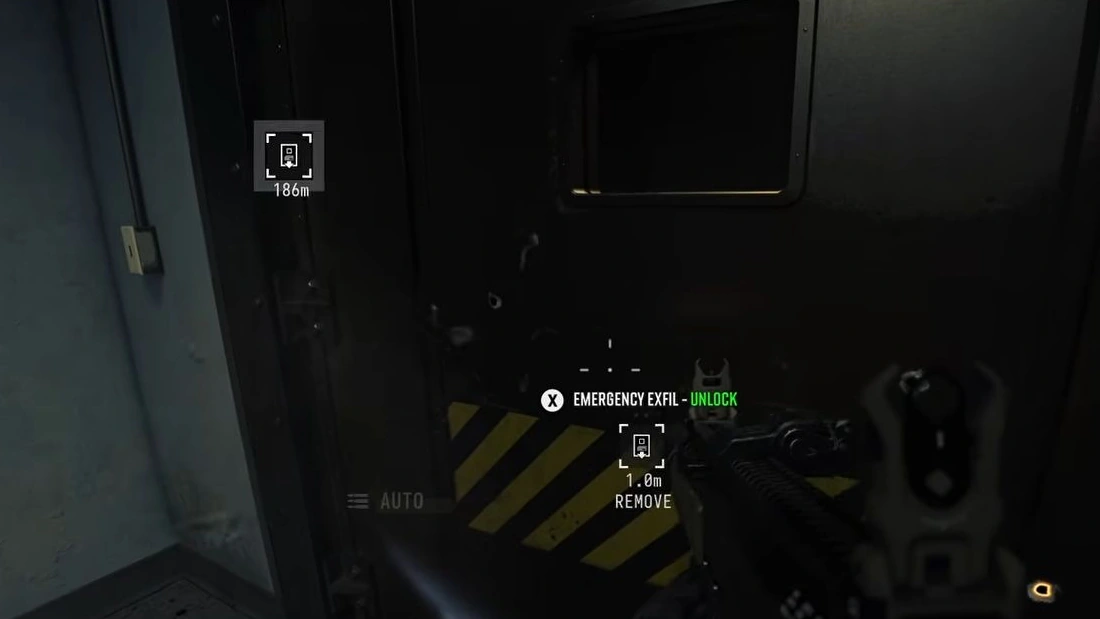
| Staff Emergency Exfil Keycard | Open an emergency extraction shaft; keep it separate from your Vault-room plan |


Check The Captain’s loot for Deep Vault 301. If you need that access route, defeat The Captain, inspect the dropped loot and pick up the named card if it is present. Its availability and a fixed Captain spawn location are not guaranteed. Confirm the card is in your inventory before leaving.
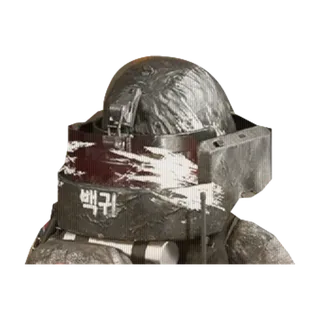
If you already have the card you need, check your inventory before taking another fight. The X01 Orders guide explains when the active task itself asks for a Captain kill or a key pickup.
Open the gate and keep numbered-room use separate
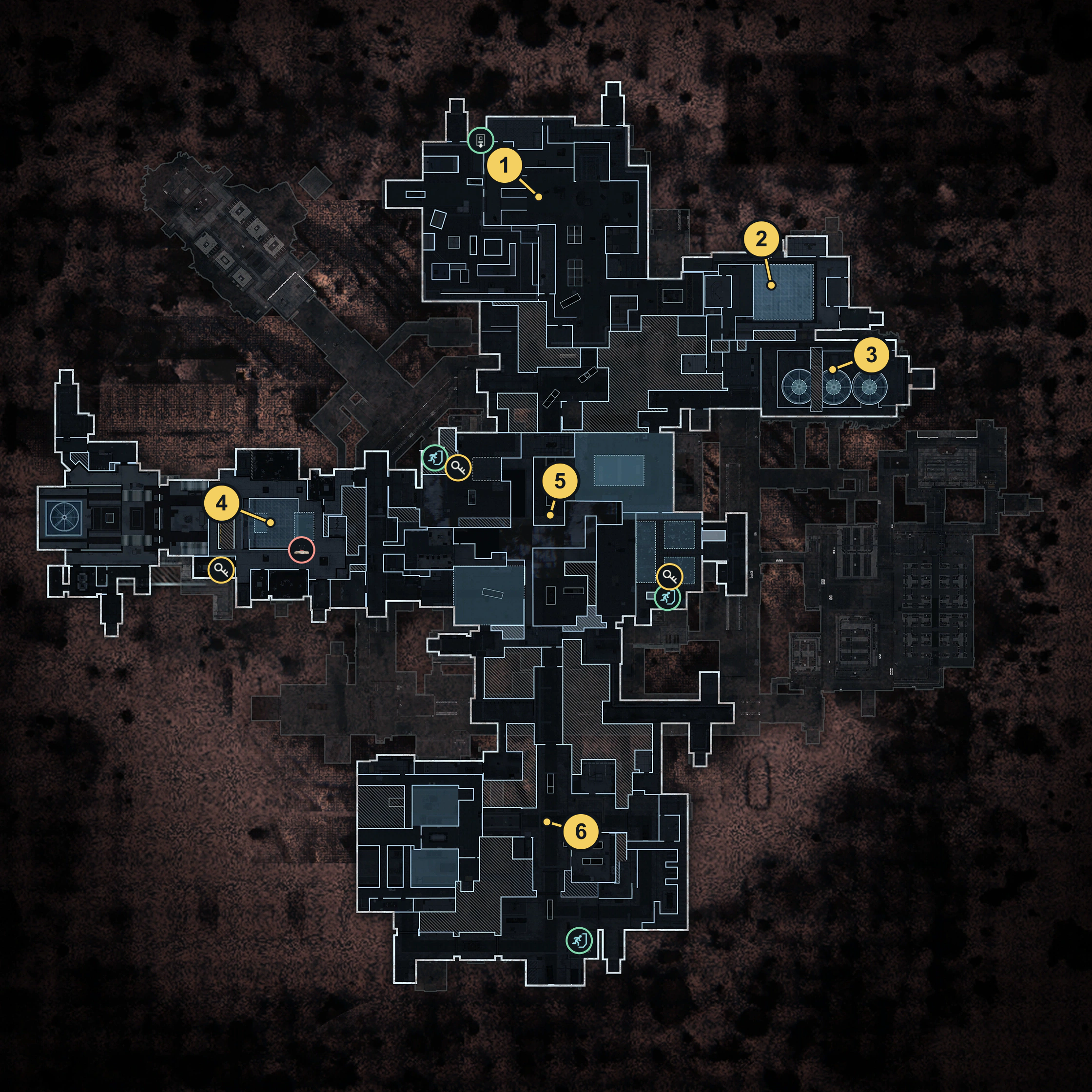
Find the Deep Vault gate at C2 on the map. Bring your access card to the gate’s reader, use its unlock interaction and check that the route opens before moving the squad through.
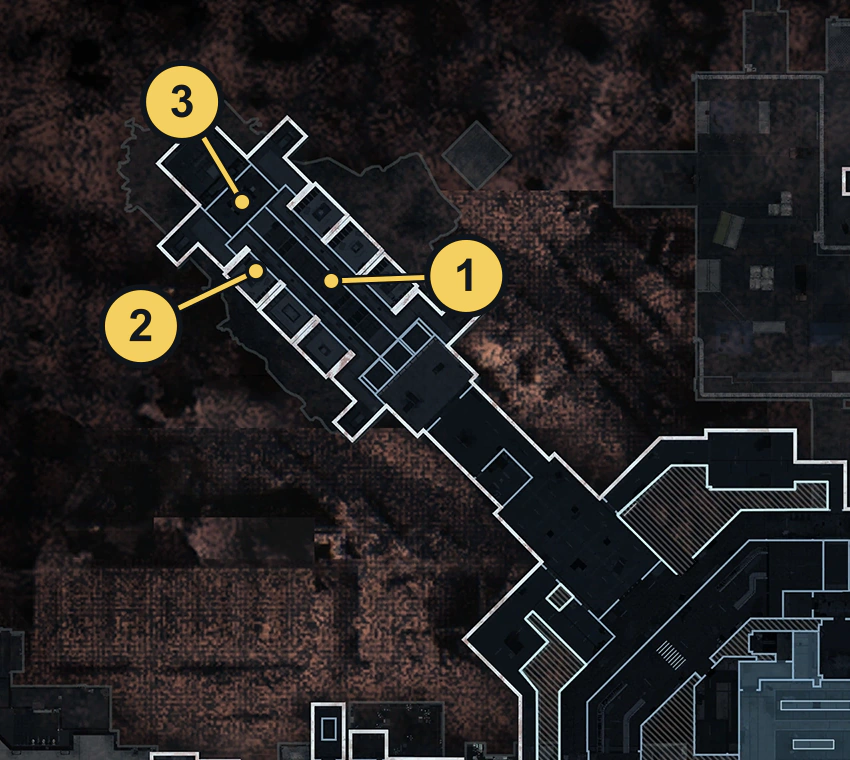
Gate access is reported to keep the card; opening its matching numbered loot room spends it. Check the inventory after the gate interaction and again after opening a room. Do not assume that a card surviving entry also survives Room 301 or another matching loot-room door.
- Enter through the gate with the required card. Confirm that you are inside Deep Vault.
- Check which card you still carry. Keep it available if you intend to use its numbered room.
- Match the room’s actual number and unlock prompt. Room 301 and Room 406 are different targets.
- Choose whether to spend the card on that room. Opening loot rooms is optional if your immediate goal is another objective or simply learning the return.
Use the door signs inside the Vault for its internal levels. The Codex’s two facility map views are not a room-number decoder: a card beginning with 3 or 4 does not select a third or fourth website map.
Choose the Encoder for your destination
Encoder menus are station-specific. Bring an Encodable Blank Keycard, check the menu and collect the named output after encoding finishes.
| Encoder | Choice | Supported destination |
|---|---|---|
| Supply Depot | Maintenance Access | Maintenance Room, inside the Production Assembly Printer room, opposite its entrance |
| Supply Depot | Executive Access | Executive Room in Admin Offices; the 406 branch continues below |
| Data Center | Engineering Access | Small Test Chamber near the T.E.C.H. Lab security checkpoints; output tooltip names F4 |
| Data Center | Audit Officer Access | Audit Room in Main Warehouse |
Maintenance Access is the Encoder option; Maintenance Room is the key and door name. Match the card reader beside the Maintenance Room door inside the Production Assembly Printer room. The card tooltip names E5 and the third physical floor; do not read that as a third selectable Codex map view.
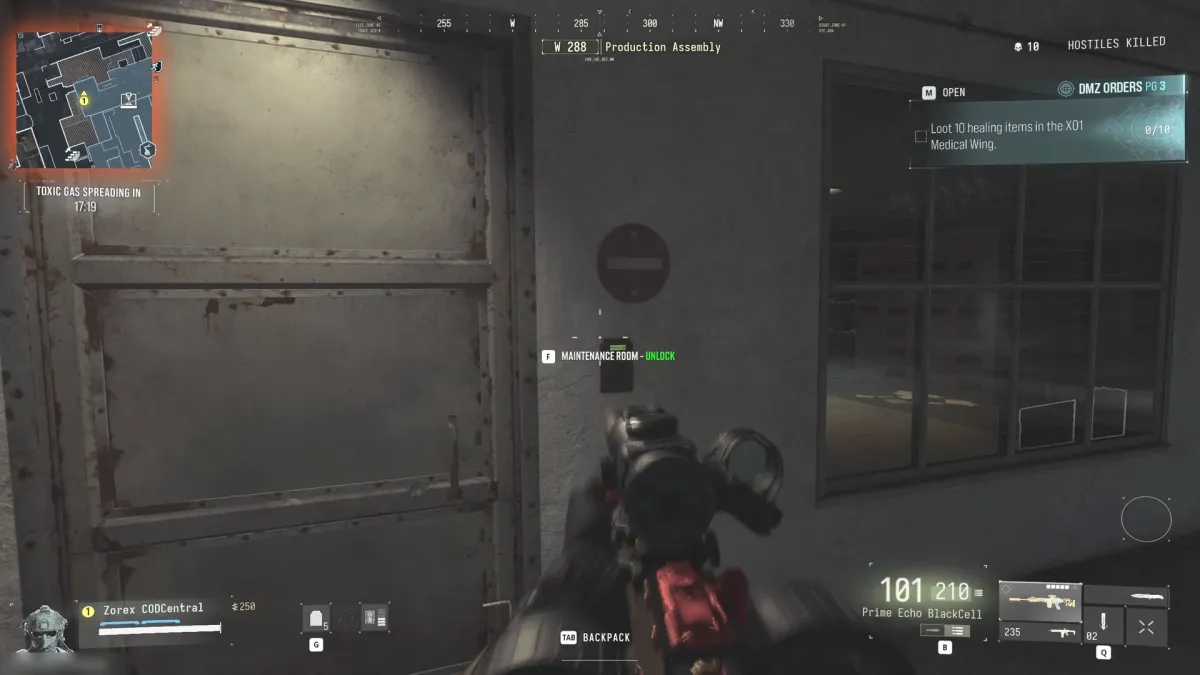
For Engineering Access, use the Data Center Encoder, wait for encoding to finish and collect the Small Test Chamber card. Read its destination before leaving. The optional roof-box/safe detour is separate from the Maintenance card door. Unlimited encodings and per-machine reset rules remain unverified.
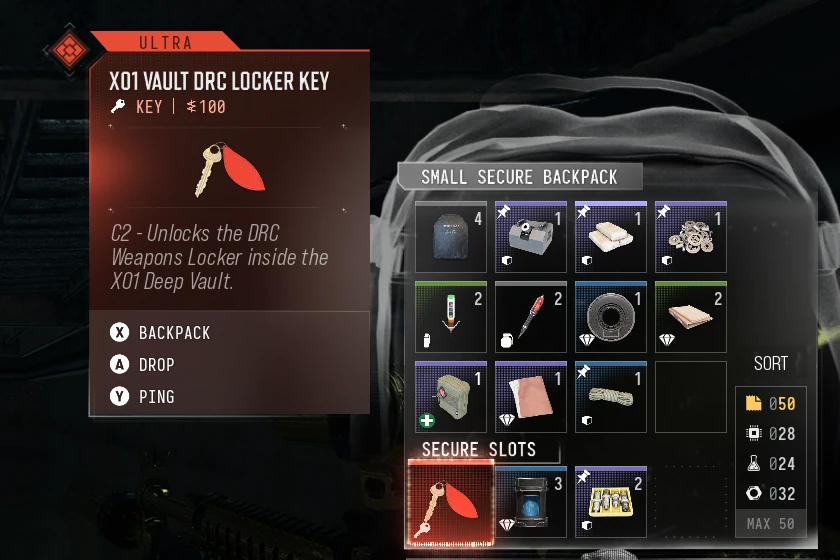
X01 Vault DRC Locker Key is a separate Ultra key for the DRC cabinet inside Deep Vault, C2. At the white DRC-logo cabinet, match the named key-unlock prompt; after opening, inspect the Elite Weapons Locker search inventory. A recorded opening supports this interaction, but exact loot names, guaranteed contents and key consumption remain unverified. A Hajin DRC key or numbered Vault card is not a substitute.

Key acquisition is still unverified on footage. One creator reports a Blix find and a jacket find; treat those as search leads, not a guaranteed boss drop or fixed spawn. Compare the four DRC lockers before committing a key to another map.
For other X01 card doors, use the dedicated Archive Closet and Superintendent’s Office routes. Their keys are separate from the Encoder choices above.
Follow the Encoder to Executive Room and 406
For this branch, start with an Encodable Blank Keycard. A workstation-visit Order is different: if your task only asks you to visit an Encoder, check that task before spending a blank.
Encode Executive Access in Supply Depot
Find the Keycard Encoder Station in the small room on the east side of Supply Depot. It is a tall grey kiosk with a screen and card slots.
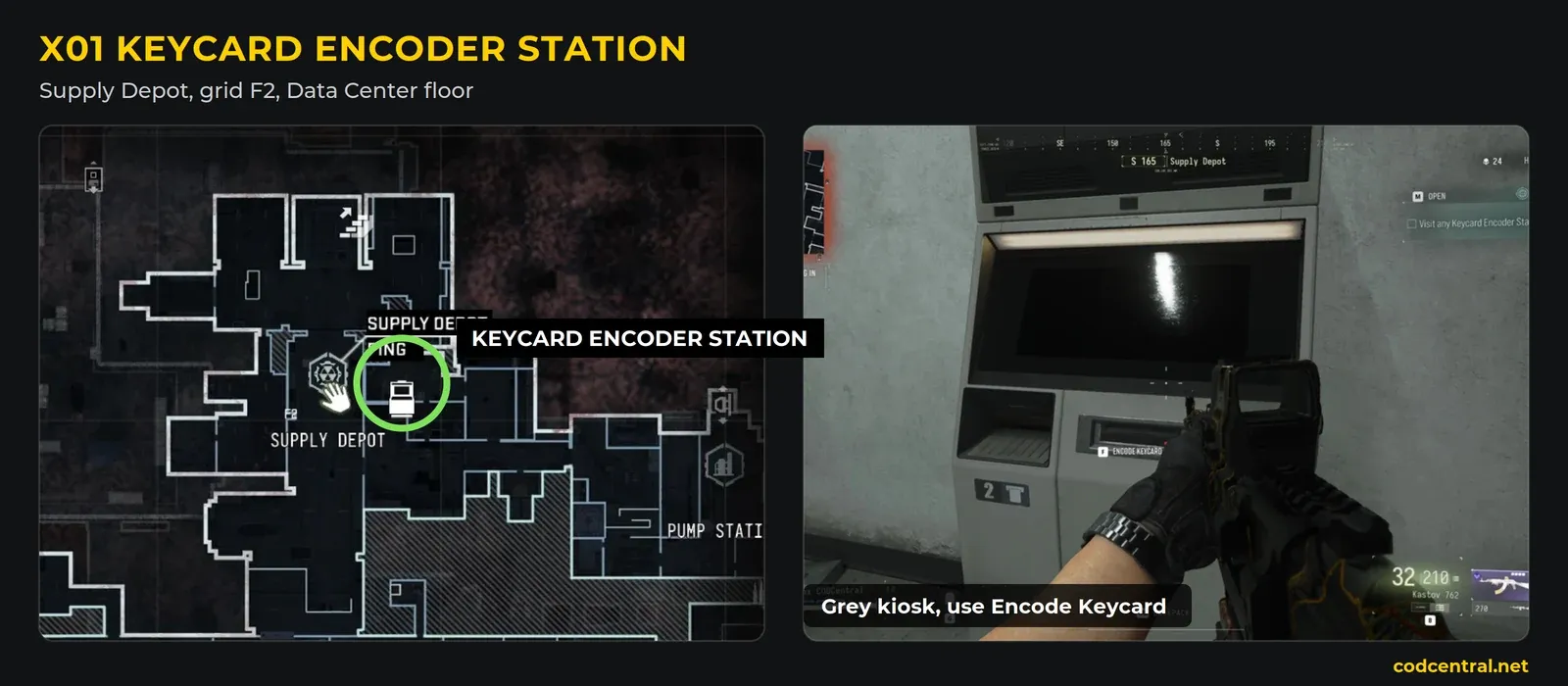
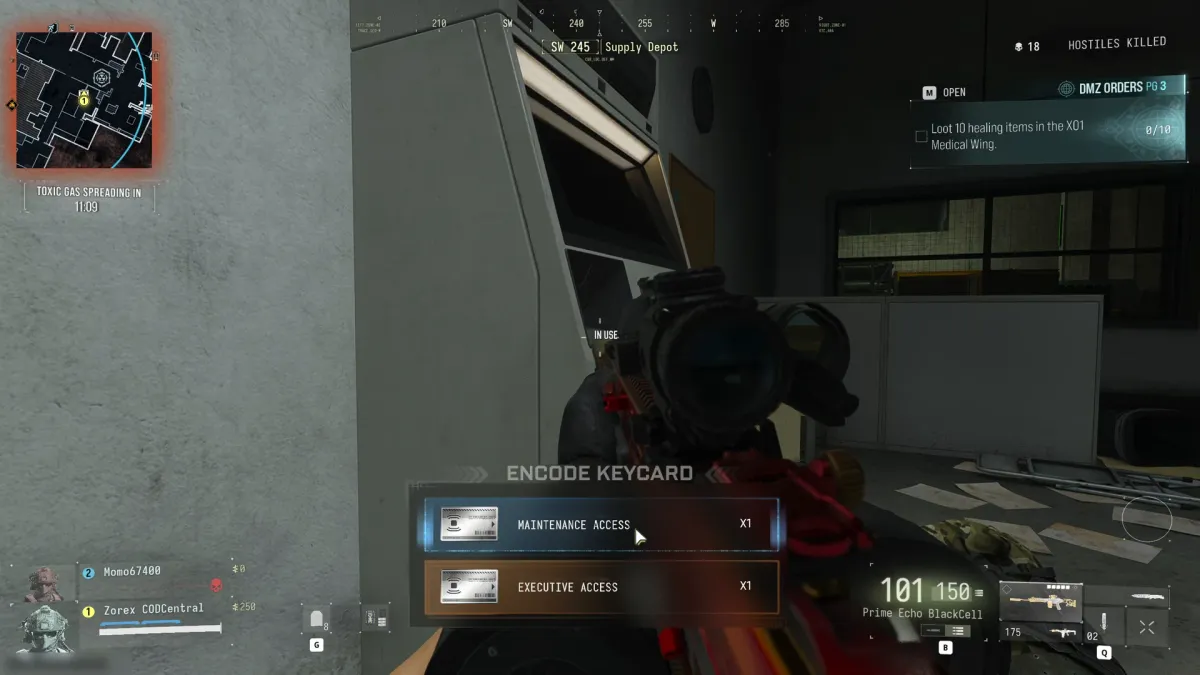
- Approach the kiosk with the blank card available. Use Encode Keycard to open its choices.
- Select Executive Access. The menu also offers Maintenance Access; choose the Executive option for this room route.
- Wait for the screen to reach 100% and show its completion check. Use Take Keycard at the output tray. Starting the process does not collect the card.
- Check for an Executive Room card in your inventory. Executive Access produces this room-access card. You still need to visit the office to find Deep Vault 406.
Open the Executive Room in Admin Offices
The Executive Room card’s tooltip identifies C5, on the second floor near the statue within Admin Offices. Use that named landmark and the card reader to distinguish it from the other offices.
- Travel to Admin Offices and find the room near the statue. Match the destination described on your card.
- Face the reader beside its doors. Check for Executive Room — Unlock before using the card.
- Enter and inspect the desk. Look for a pickup named Deep Vault 406, read its label and collect it if present.
- Recheck your inventory before leaving. The Executive Room card got you into this office; the 406 card is the next key you need for the matching Vault room.
If the desk is empty or the card has already been taken, another encoding is not a guaranteed replacement. Check that you actually carry Deep Vault 406 before returning to its numbered door.
Use the matching Vault door
Return to Deep Vault with the 406 card. Follow the internal room signs to 406, match the unlock prompt and use the card on that door. Check your inventory afterward before planning any further key use.
Keep these steps distinct: blank card → Executive Access at the Encoder → Executive Room card → office pickup of Deep Vault 406 → matching Vault door. Skipping the office does not turn the Encoder output into a 406 key.
Decide whether to start the core objective
The core uses two different computers. The upper central control terminal starts the core-opening defense; the computer on the central glass case inside the opened core offers Neutralize Bioweapon.
- Follow the core access objective and reach the upper central control terminal. Start its unlock sequence and watch the live Unlocking Core Room progress.
- Use the upper central room as a defense position. Cover its doorway and the approaches across the upper level. Keep the terminal and progress display within your route rather than wandering off to another numbered room.
- Fall back to the nearby stairwell if you need cover or a reload. Use the stairs marked 3 as a recognizable fallback, then return to the upper control area when you can. Recheck the live progress after moving: do not assume it advances everywhere or that a quiet moment means the room is open.
- Wait for the objective to change to Enter Core Room. Clear the descent and enter the opened core. A partial percentage is not the finished unlock.
- For Complete Defusal, use the computer on the central glass case. Match Neutralize Bioweapon, finish its separate interaction and check that task. Opening the room, seeing a capture bar start or killing Blix does not replace a completed neutralization.
The exact defense duration, required radius and death/reset behavior remain unverified. The stair fallback is a positioning option, not a claim that progress cannot pause or reset. Read your own objective before committing to the descent.
Page 4 separately lists gate entry, bioweapon neutralization and a Blix kill. Check all three against your active Order. Blix’s guaranteed appearance and whether the console works without that Order are unverified. Before starting, reserve enough time to return and extract; the side shaft below only returns you to the facility.
Return from the Vault to the facility
Use the side lift shaft to get back up. Open its doors with Force Open, use Ascend on the rope, then operate the wall switch at the upper return gate.
- Leave the loot room and find the side lift doors off the Vault corridor. Do this before gas makes the route difficult to see.
- Use Force Open at the closed shaft doors. Enter the shaft once the doors open.
- Face the rope and use Ascend. Ride it to the upper landing.
- Return to the outer Vault gate and use the wall switch beside it. Open the gate from inside and move back into the facility.
- Continue to your active extraction exit. Ascending the shaft does not secure your loot. Follow the normal lift or emergency-shaft instructions and finish departure.
If you reach a closed return gate after ascending, look for its adjacent control before turning back down the shaft. If the active exit has changed during the visit, use the live Tac Map and HUD to choose the remaining route.
Make your first Vault visit one clear task: open a matching room, follow the Executive branch or learn the return. Add the longer core objective when you have an exit window to support it.
Match the physical level to the room
The map pins identify the reported room areas. Inside the Vault, use the painted stair numbers and actual door plates; selecting map view 1 does not place every marked room on one physical level.
| Card | Approach and map jump | Reported opening |
|---|---|---|
| 106 | Gate elevator to the first lab level → corridor past stairs painted 1 → door 106. Map | One opening recorded six containers: an LT Crate, Supply Crate, two Weapon Lockers, a Footlocker and a Rifle Case |
| 301 | Match the 301 door and reader inside the Vault. Room reference | Do not infer 106 or 406 contents from the room number |
| 406 | Descend to stairs painted 4 → railing corridor → plate 406. Map | One recorded visit found four safes and a loose SR-16 Bio Agent Sample; neither contents nor sample are guaranteed |
| X01 Vault DRC | White DRC-logo cabinet in the Vault, C2. Map | Match the named unlock, then inspect the Elite Weapons Locker inventory |
106 and 406 overlap on the facility map but occupy different physical levels. Use the room plate as the final check, budget for the return and inspect your card after use. Continue with a combined X01 route or head straight to extraction rather than adding the core automatically.
Quick questions
How do I enter the X01 Deep Vault?
Bring a Deep Vault access card and find the gate at C2. Use Deep Vault 301 at the gate’s card reader, confirm the opening and keep numbered loot-room use separate. If you still need the card, check The Captain’s loot; its availability is not guaranteed.
Does the Deep Vault gate consume my 301 card?
Gate access is reported to keep the card, while opening the matching numbered loot room spends it. Check your inventory after each interaction and do not assume the room has the gate's reuse behavior.
What should I choose at the X01 Encoder for the Executive Room?
Use the Supply Depot Encoder with an Encodable Blank Keycard and choose Executive Access. Wait for encoding, collect the Executive Room card and read its name. Data Center has a different Engineering/Audit Officer menu.
Where is the Executive Room in X01?
The card tooltip identifies C5, on the second floor near the statue within Admin Offices. Find its card reader and match the Executive Room — Unlock prompt.
Where do I get Deep Vault 406?
Check the desk inside the Executive Room for a pickup named Deep Vault 406. Collect it if present and match it to door 406 inside the Vault. The card’s availability is not guaranteed on every visit.
How do I get back out of the Deep Vault?
Use Force Open on the side lift doors, enter the shaft and use Ascend on the rope. At the upper return gate, operate the wall switch beside it. Then travel to an active X01 extraction exit.
Mentioned in this guide
Spotted something wrong? Send a correction.