X01 extraction: lifts, Staff cards and the power gate
Choose an active exit, use its control and stay through departure. A marker or an activated lift alone does not finish the escape.
For a normal X01 extraction, find an active exit on the Tac Map, use the call control beside its lift and board when it opens. An emergency shaft uses a Staff Emergency Exfil Keycard and the Emergency Exfil — Unlock interaction. For the power gate, complete the Wheelson/module shutdown route, coordinate entry into the chamber and wait for closure and extraction. A two-player gate passage is reported; reliable solo timing remains unverified. Check live shutdown warnings before committing.
- Normal extraction uses a called lift inside X01
- EXFIL ACTIVATED means the lift has been called; extraction is still ahead
- Reserve a Staff Emergency Exfil Keycard for an emergency shaft
- Enter the emergency shaft and stay through the EXFIL DEPARTING countdown
- The Deep Vault ascender returns you to the facility; it is not an extraction
- Use the current Tac Map and HUD to check which exit remains active
- Coordinate the power-gate passage, then wait inside for closure and successful extraction
- Final Exfil uses its live departure/shutdown timer; normal-lift timing is not a universal final timer
Find your key or locked room
Browse every key in the Key FinderTo extract from X01, call an active lift, board it and stay through departure. If you intend to use an emergency shaft instead, keep a Staff Emergency Exfil Keycard available for its door. Unlocking or calling an exit is only the start of leaving.

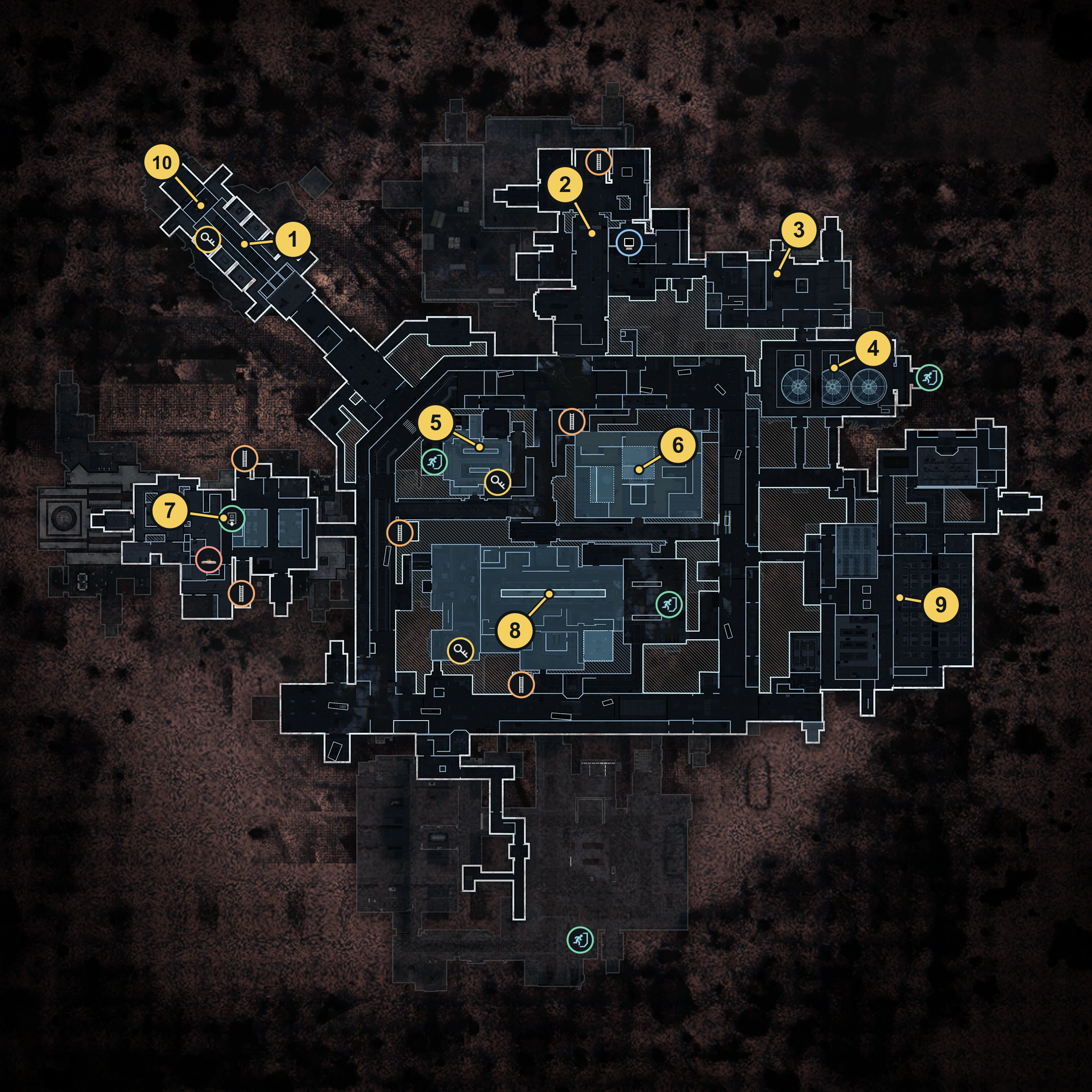
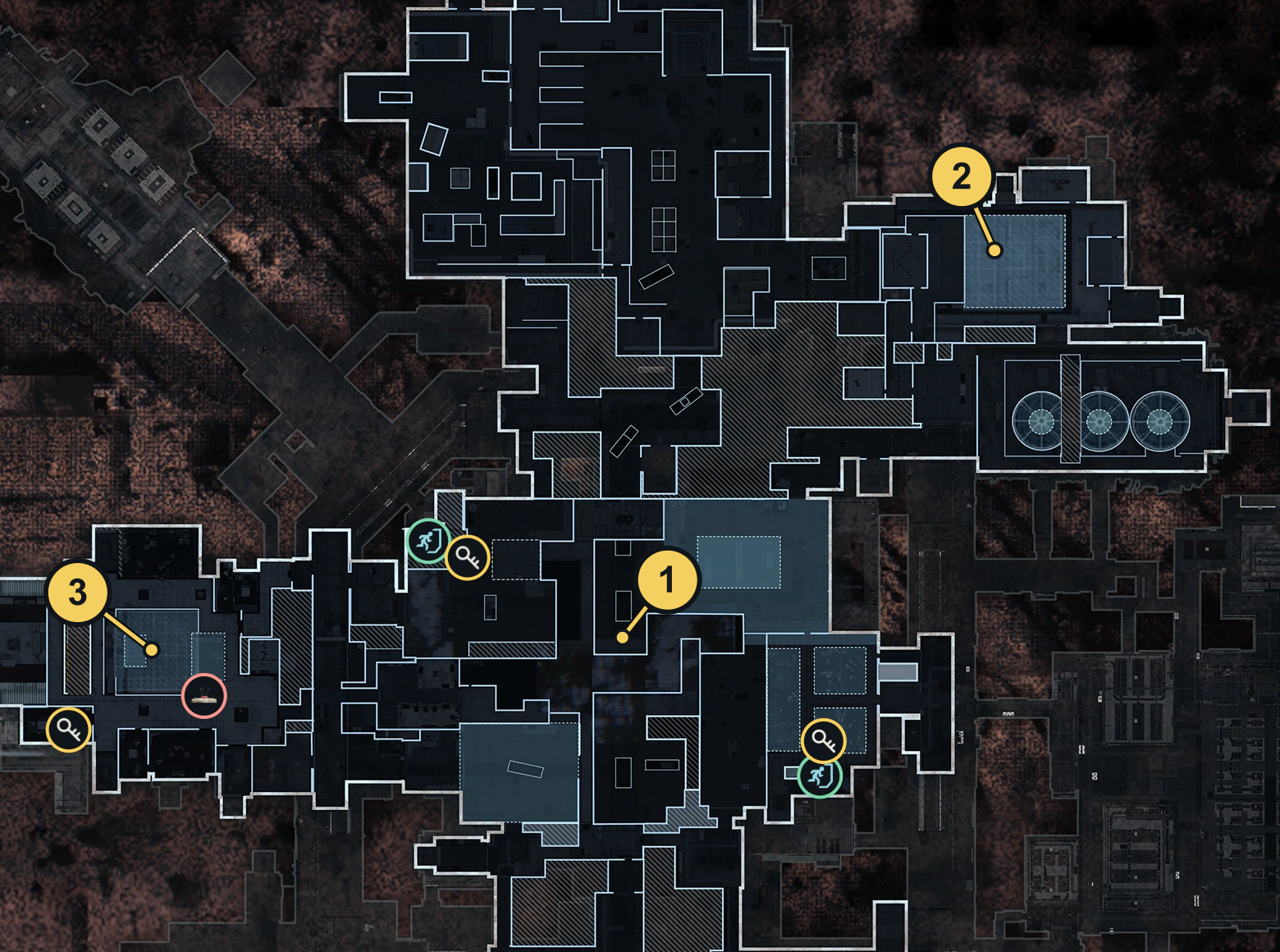
Before collecting more loot, open the X01 interactive map and identify the exit you can currently reach. For your first visit, use the entrance and floor guide to match your room to the correct map view.
Choose an active exit before moving
Read the exit marker and the current HUD together. Toxic gas, facility shutdown and final exfil warnings change the decision to keep exploring. An exit you passed earlier may no longer be available when you return.
| Your situation | Next action |
|---|---|
| A normal extraction lift is active and reachable | Go to its door and call it |
| You have a Staff Emergency Exfil Keycard and a reachable emergency shaft | Reserve the card for that shaft and use its unlock interaction |
| Power is shut down and the lower Power Generators gate is reachable | Use the wheel, coordinate passage into the chamber and stay through closure and departure |
| You are still inside the Deep Vault | Return to the main facility before following the exit route |
| Shutdown or a final exfil is displayed | Follow the currently active marker and its live instructions |
Match the named room and route, not just the marker’s distance. A nearby icon can be on another level. Use stairways, lift shafts and doorways you have identified rather than running directly toward a marker through walls.
Call and board a normal extraction lift
Use the active lift marker in your match to choose a normal exit. Motor Pool is one area with an extraction lift; check that its marker is active before heading there.
- Reach the marked lift doors. Clear the approach and gather the squad before calling.
- Use the call control beside the lift. Check for EXFIL ACTIVATED and the announcement Lift activated. Stand by. Those confirm the call, not a completed extraction.
- Defend the approach while the lift arrives. Watch the doors and the live exit instructions. Keep the arrival wait separate from the departure countdown after boarding.
- Board when the lift opens. Make sure each squad member intending to leave is inside.
- Remain through departure. Wait for the game to confirm extraction before treating carried mission items or First Win as secured.
If your current Order asks you to extract in the same match, collecting its item and reaching this room are not enough. Finish the extraction. The X01 Orders guide separates visit objectives from tasks that require you to carry something out.
Allow about 25 seconds for the boarding/departure countdown and follow the countdown on your HUD. Gathering the whole squad does not shorten this stage. This is separate from the time a called lift takes to arrive.
Follow the live Final Exfil countdown
When the facility switches to Final Exfil, recheck the active marker and your route immediately. Reach the lift, enter when available and stay through the departure result.
Do not budget from a fixed normal-lift estimate. One Tech Lab final-lift departure displayed 41 seconds alongside the shutdown clock and ended with successful extraction. That is a timing example, not a universal final countdown. Follow your own HUD; neither the normal 25-second estimate nor that 41-second sample guarantees time to make another loot detour.
A final lift remains separate from the Power Generators wheel gate and from the Bio Lab puzzle. Reaching it does not prove either of those objectives is complete.
Unlock and enter an emergency shaft
Bring a Staff Emergency Exfil Keycard and plan for it to be consumed when the shaft is unlocked. A numbered Deep Vault key or Executive Room card is a different item. Shared reopening and late-boarding rules remain unverified.
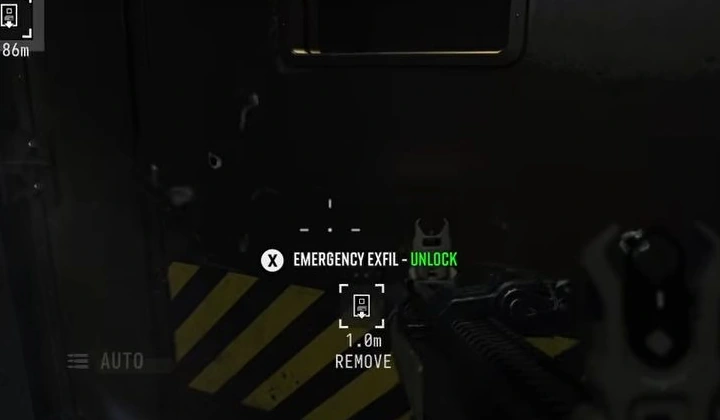
- Find an Emergency Egress Shaft on the map. Check the route and remaining shutdown window before leaving a reachable normal exit behind.
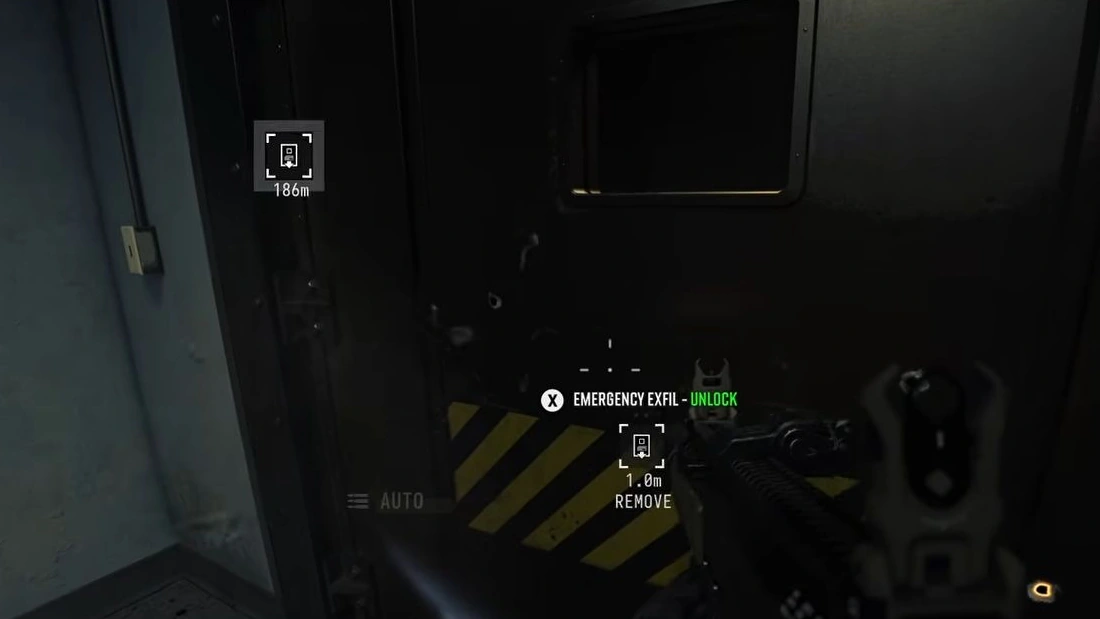
- Approach the shaft door with the Staff card available. In Medical Wing, look for the narrow metal door with black and yellow hazard markings on its lower panel.
- Use Emergency Exfil — Unlock. Match that prompt to the shaft door rather than an ordinary nearby room.
- Enter the passage once it opens. Stay through the EXFIL DEPARTING countdown. Unlocking the shaft does not extract you at the door.
- Stay through the departure sequence. Confirm the extraction result before counting an item as safely carried out.
If the door stays locked, check that you brought the Staff Emergency Exfil card and are facing the shaft’s interaction. Keep enough time to use another active exit if this route cannot be opened.
A Staff emergency card can also appear among loot on the Bio Lab underwater route. Treat it as a possible find, not a guaranteed replacement for a card you intended to bring.
Use the Power Generators Remote Module route
For the Power Generators route, use the Remote Module mission item from the Wheelson sequence. Keep it separate from the Staff-card shafts and Prototype K9 Core V2.
- Collect the named Remote Module. Read the pickup; seeing a dropped item does not put it in your inventory.
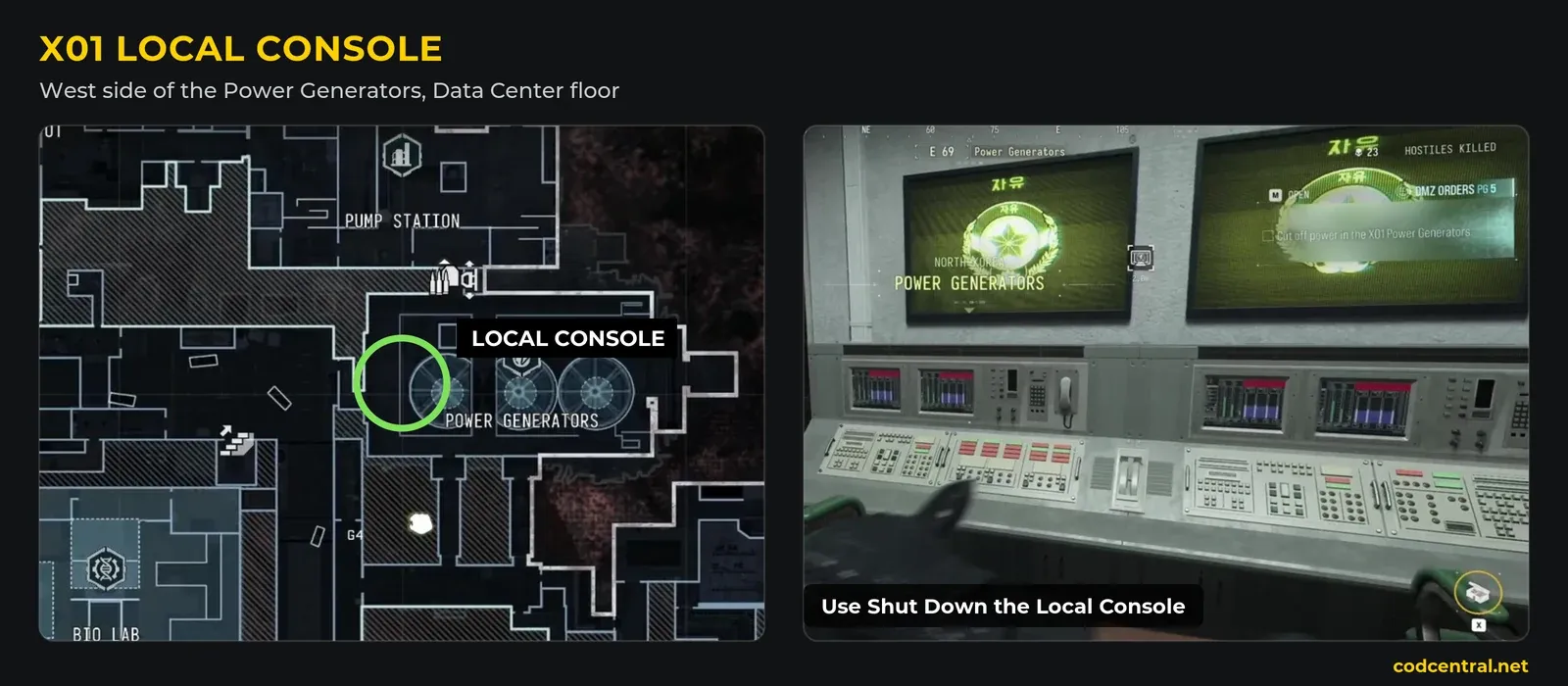
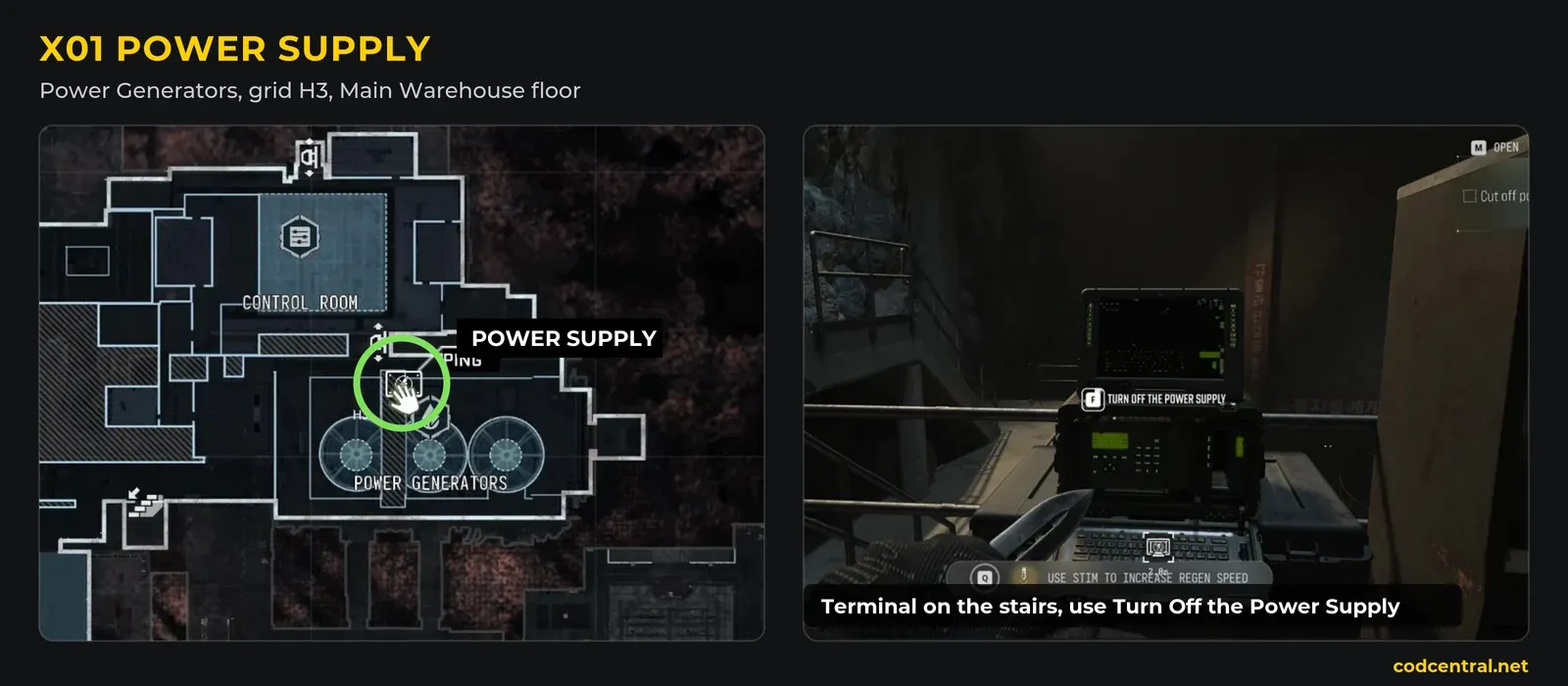
- Use Shut Down The Local Console. Follow the resulting Turn off the Power Supply step toward the upper Power Generators control.
- Finish the upper shutdown interaction. Check for the power-shutdown completion and the announcement that the gate is available. Return down toward the lower Power Generators exit.
- Use the wheel on the large control console beside the gate. Keep interacting as the shutter rises. Its prompt warns that releasing quickly closes the door; tell the squad when to move through the opening.
- Get the departing players inside the chamber. Coordinate the wheel operator’s passage as well as the first player’s. Stay within the chamber rather than turning back for nearby loot.
- Wait for the gate to close and the departure countdown to finish. Confirm the successful extraction result before counting carried items as secured.
Plan the gate passage as a squad. A player already inside is reported to be able to hold an interior control to slow closure, but that assistance has not been verified as a dependable timing method here. The exact gate-open duration, reliable solo passage, module consumption and shared mission credit remain unverified. Keep a reachable fallback exit when testing an unfamiliar opening.
Leave the Deep Vault before heading for exfil
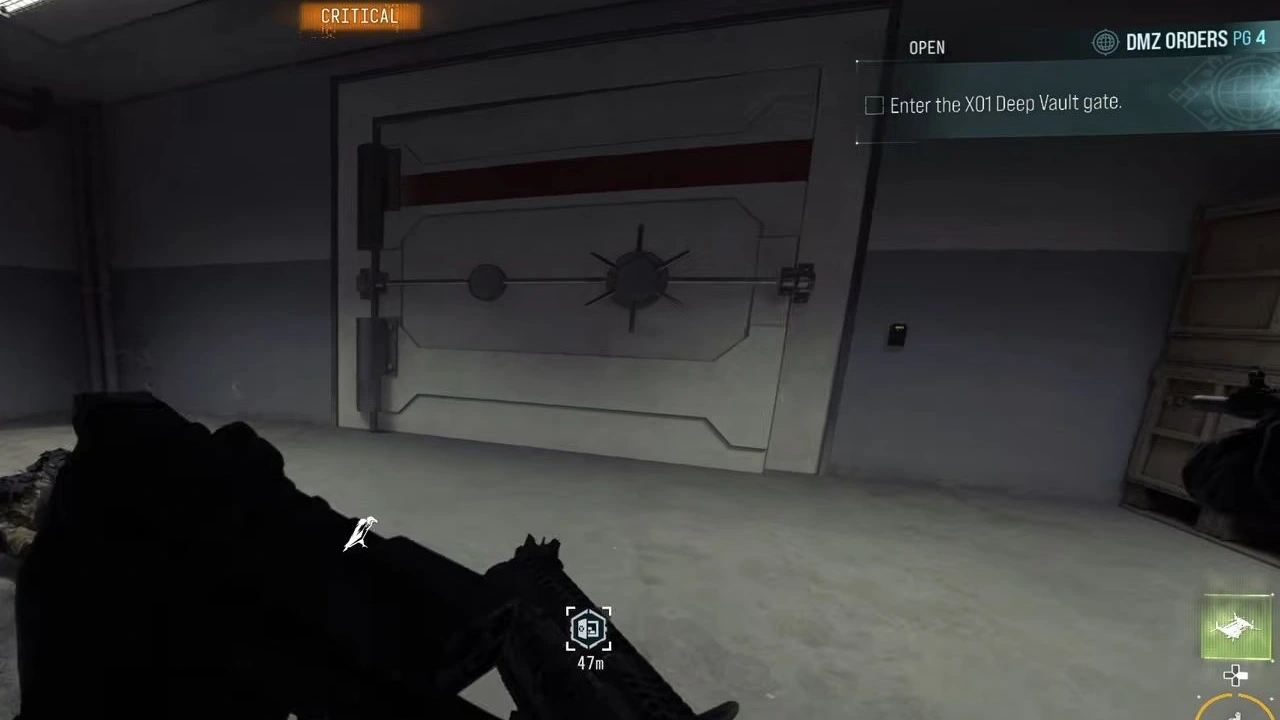
The Vault’s return route uses side lift doors and an ascender. At the shaft door, use Force Open, enter and use Ascend on the rope. At the upper return gate, use the adjacent wall switch to reopen the way into the facility.
That sequence gets you out of the Vault, not out of X01. Continue to an active extraction marker and perform its lift or emergency-shaft sequence. The Deep Vault guide covers the return in context.
Check what is stopping the escape
| What you see | What to check |
|---|---|
| An exit marker, but no door interaction | Match the room and level, then reach the actual door or call control |
| EXFIL ACTIVATED, but the doors are still shut | The call succeeded; defend and wait for boarding instructions |
| Emergency Exfil — Unlock, but no extraction result | Open the door, enter the shaft and finish departure |
| A rope and Force Open inside the Vault | This is the return to the facility; continue to an extraction exit |
| Shutdown warnings while you are still looting | Recheck the active exit now and allow time for the journey and boarding |
If your goal is First Win, prioritize completing that escape over adding a locked room or core defense to the run. Once you can enter, orient yourself and leave reliably, use the X01 Orders walkthrough to choose the next objective.
Quick questions
How do I exfil from X01?
Find an active extraction marker on the X01 Tac Map, reach its lift and use the nearby call control. Defend while it arrives, board when the doors open and remain through departure until extraction is confirmed.
Which keycard opens an X01 emergency exit?
Carry a Staff Emergency Exfil Keycard to an Emergency Egress Shaft and use Emergency Exfil — Unlock. Plan for the card to be consumed at unlock. Enter and finish departure; shared reopening and late-boarding rules remain unverified.
Is the X01 emergency exit instant?
No. Open the shaft, enter its passage and stay through the EXFIL DEPARTING countdown until extraction is confirmed. Unlocking the door alone does not extract you.
Does the Deep Vault rope extract me?
No. Force Open at the side lift doors, Ascend on the rope and reopen the return gate to reach the main facility. You still need to travel to an active extraction exit.
Can I use a timer from another X01 run?
Use your current HUD. Normal boarding, final departure and facility shutdown can show different timing. Read the active marker and allow time to reach the lift, board and finish departure; do not apply another run’s 25- or 41-second sample universally.
What do I do after entering the Power Generators gate?
Stay inside the extraction chamber while the gate closes and the departure countdown finishes. Wait for the successful extraction result. Raising the gate or crossing its threshold is not the whole escape.
Is the Power Generators gate a proven solo escape?
The wheel-operated gate can extract a duo. A reliable solo passage method and exact gate-closing time remain unverified, so keep another reachable exit when trying it alone.
Mentioned in this guide
Spotted something wrong? Send a correction.