MW4 DMZ voice chat: proximity, party channels and mute checks
Choose who should hear you, then test that route before deploying.
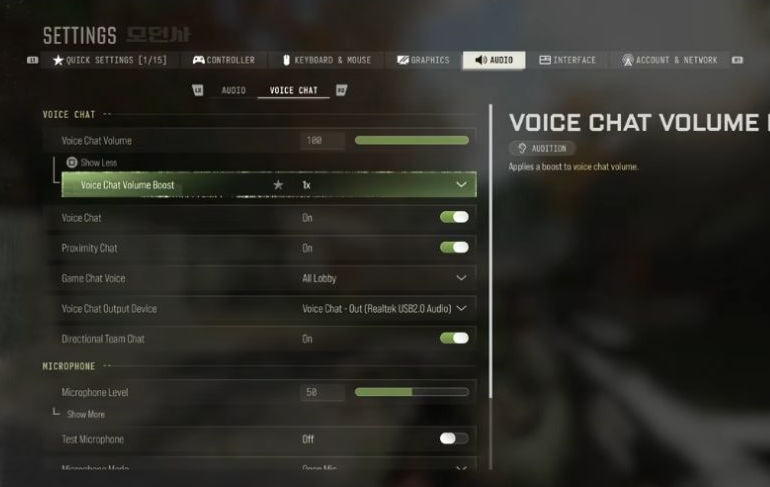
Open Settings, Audio and Voice Chat. Enable Voice Chat and Proximity Chat, and choose All Lobby under Game Chat Voice. Then check mutes, the connected channel and platform permissions.
- Settings → Audio → Voice Chat
- Proximity Chat requires All Lobby
- Muting works both ways
- Platform permissions can override the game
Choose one person and one conversation route for the first microphone test. Changing the audience, channel and several device options together makes a failure harder to explain. Start before deploying, while you can compare results without interrupting a fight.
Use the same person and a short test sentence throughout. Keep your starting selections so a failed change can be reversed.
Choose the audience first
Open Settings → Audio → Voice Chat. Enable Voice Chat and Proximity Chat, then choose All Lobby under Game Chat Voice. Check all three selections before testing a conversation with nearby opponents.
Write down the audience you intend to reach. Ask a known teammate to confirm one short sentence, then repeat in the opposite direction. Record two results: whether you hear them and whether they hear you. A one-way failure is a different observation from both players hearing nothing.
Change one relevant choice and repeat with the same person. Do not judge the result from an unknown opponent who may not want to answer. Keep the last configuration that allowed the intended conversation.
Separate party talk from proximity talk
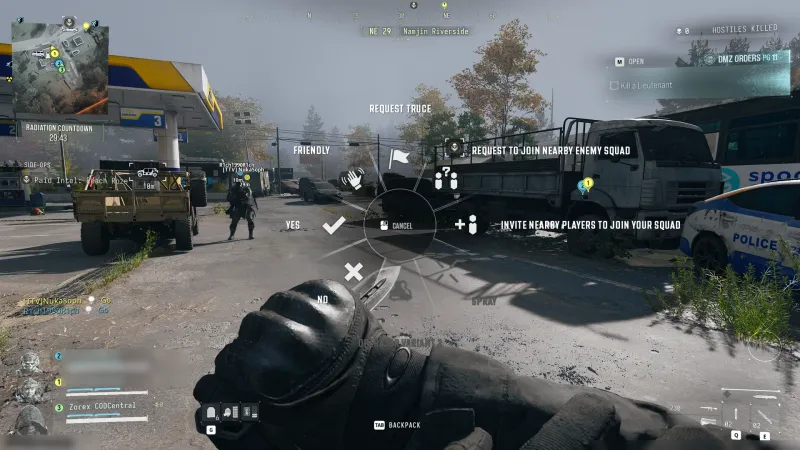
Decide whether the next message is for your own party or another group nearby. A plan naming your location deserves an audience check before you speak.
Voice communication alone does not send a truce request or demonstrate assimilation. Use the truce and assimilation guide for those actions. Ask for an explicit response instead of treating an unanswered sentence as agreement.
The crossplay party guide handles friend invitations and roster checks. Test membership and communication independently: hearing someone does not demonstrate that they joined the deployment party.
Check one player’s mute state
In Scoreboard, select the player and inspect Toggle Mute. Activision says muting also prevents them hearing you, and session mute selections reset in a new session.
Recheck the same pair after changing the selection. Avoid repeatedly muting the entire lobby to investigate one teammate. Note which direction changed rather than relying on a microphone animation as proof that the conversation arrived.
If restarting changes the result, repeat the audience and mute checks before altering unrelated settings. Keep a short record of what worked in the previous session.
Identify the connected channel
Manage channels through the main menu’s Chat section. MW4 permits connection to one Chat Channel at a time.
Agree which route you are testing and have both players confirm that choice. A familiar channel name does not by itself demonstrate that both people connected. If you also use platform party chat or another application, test those separately.
Send a distinctive short sentence so your teammate can identify the route that actually carries it. Then return to your intended arrangement. A communication channel does not establish a larger DMZ squad or remove the need to inspect the party roster.
When a teammate still cannot hear you
Platform communication permissions can override in-game settings, according to Activision. Review those permissions when the game audience, channel and mute state match your intention.
Record the remaining symptom precisely: one-way or two-way, before or after restarting, same platform or cross-platform. Include the current game settings in a support request rather than reporting only that the microphone is broken.
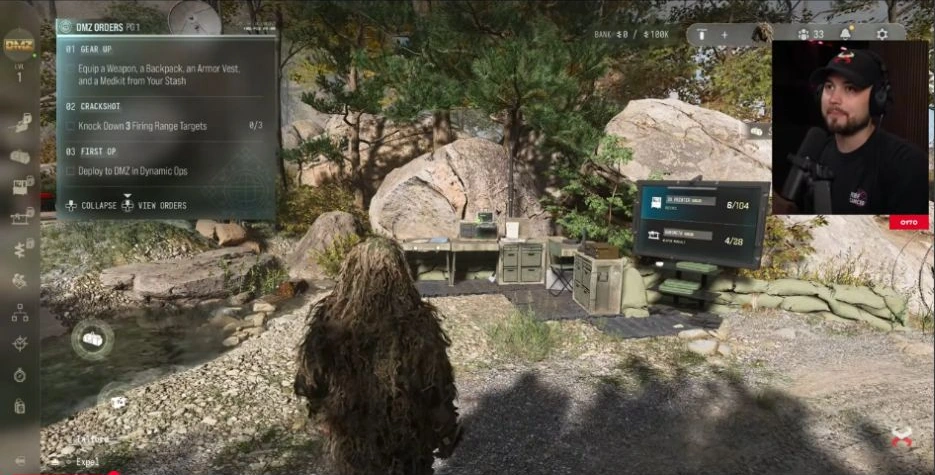
Before leaving the FOB, restore the audience you intend to use and confirm your deployment kit. A successful test establishes that conversation at that moment; repeat the relevant check if the next session behaves differently.
Quick questions
Why is Proximity Chat silent with Party Only selected?
Activision requires All Lobby for Proximity Chat. Check both selections.
Does muting another player only silence their microphone?
Muting also stops that player hearing you; session mute choices reset.
Does joining a Chat Channel add someone to my DMZ squad?
A channel does not establish party or squad membership. Check the roster.
Can console communication settings override the game?
Yes. Platform account communication options may override the game.
How do I mute someone during play?
Select the player in Scoreboard and use Toggle Mute.
Spotted something wrong? Send a correction.