
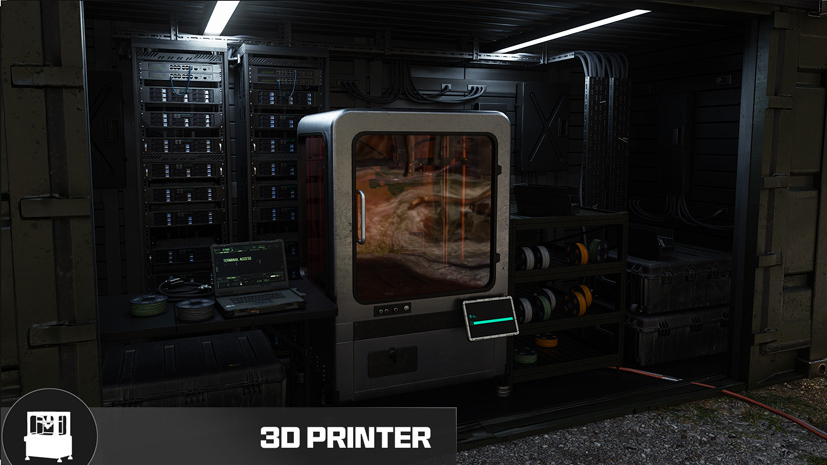
DMZ recipe-unlock roadmap: from a locked item to a usable craft
A finished item is not its reusable recipe · Category access does not unlock every recipe · Recipe unlock and ingredient printing are separate
Start with the equipment you want, then read why its recipe is locked. Collecting a full ingredient bill does not open a missing recipe. Likewise, extracting a finished vest gives you that item, not automatically the right to print another. This roadmap turns those separate requirements into an ordered plan.
- A finished item is not its reusable recipe
- Category access does not unlock every recipe
- Recipe unlock and ingredient printing are separate
Start with the equipment you want, then read why its recipe is locked. Collecting a full ingredient bill does not open a missing recipe. Likewise, extracting a finished vest gives you that item, not automatically the right to print another. This roadmap turns those separate requirements into an ordered plan.
Classify the lock before choosing a route
| Unlock route | What must actually happen |
|---|---|
| DMZ Level | Reach the named DMZ level and inspect the Recipe reward |
| Order page | Complete the required page and check its reward, not merely one objective |
| Found Recipe | Find the named Recipe item, extract it and verify the reusable entry |
At the FOB, select the exact item and note the current lock wording. Check DMZ Level, the complete Order-page reward or the requirement for a found Recipe. Do not use Multiplayer level or an ordinary equipment pickup as a substitute.
Use level rewards without confusing recipes and items
| DMZ Level | Named reward | Type |
|---|---|---|
| 2 | Bandage / Medkit / Medium Backpack | Recipe |
| 26 | Gas Mask | Recipe |
| 28 | Fire Support / Care Package | Category access / Recipe |
| 31 | UAV | Recipe |
| 37 | 3-Plate Armor Vest | Finished item |
| 48 | Self-Revive Kit | Recipe |
| 55 | Disposable Parachute | Recipe |
| 68 | Durable Gas Mask | Finished item |
The Recipe label is the important part of the progression reward. Level 37’s finished 3-Plate Armor Vest is different from the vest’s printing recipe. The full level timeline separates station access, recipes, ingredients and one-time equipment. Category access at Level 4,7,12 or28 is not permission to print every Tactical, Lethal, Field Upgrade or Fire Support item.
A starter target: Medium Backpack and healing
At DMZ Level 2, the documented Medium Backpack recipe needs 50 Synthetics +5 Rigid Synthetics. A Medkit needs 30 Chemicals +1 Binding Catalyst +5 Biomaterials. If those recipes are available, the combined target is those five named resource/ingredient groups; no rare found-recipe search is needed for either basic craft.
Subtract existing stock first. Keep Rigid Synthetics distinct from Synthetics, and Biomaterials distinct from Chemicals. For medical shortages, use the medical supply route. Do not fund an advanced armor hunt when your immediate blocker is one basic backpack ingredient.
An Order target: Recon Drone
The Counterfeit DMZ Orders page rewards the Recon Drone recipe. Hostile Force belongs to that page, but completing one task is not proof that the complete page reward has been claimed. Check all required objectives and the reward state. The Police Station / Hostile Force guide helps with that part of the chain.
Once the recipe is unlocked, compare the current ingredient panel. The community-listed formula is 30 Metals +3 Electronic Sensors; confirm it before collecting. Neither finding a finished Recon Drone nor purchasing a broader category is the same unlock action.
A found-recipe target: choose a room you can open
| Recipe target | Search path and access check |
|---|---|
| Smelling Salts | Reactor 02 Control Room: matching key and radiation preparation |
| 2-Plate Ballistic Gel Vest | Re-Education Center Annex: matching key and exact named door |
| Tempered Armor Vest | Doctor’s Command Office: separate key, crate search and recipe extraction |
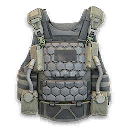
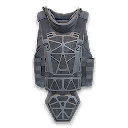
These are recorded finds and reported search paths, not a guarantee that an unopened crate contains that recipe. Bring the matching key and required protection before taking a room route. The Recipe and Manual route comparison gives the actual approaches; a recipe search should end when the next step exceeds your supplies.
For the Doctor’s office, the boss hunt, key pickup, named lock, crate search and extraction are separate checks. A Tempered vest itself or the Doctor’s rifle does not satisfy the recipe goal. Use the Doctor guide to separate those decisions.
Finish the unlock, then pay for the craft
- Read the dropped item as Recipe and confirm the exact equipment name.
- Protect it in an available eligible Secure Slot where possible, but still complete its extraction requirement.
- After returning, open the printer and verify that the named recipe is reusable.
- Read the current material bill and subtract your Stash.
- Buy an Ingredient Printing upgrade only if you need its separate recipes; it does not award missing equipment recipes.
- Print the equipment, inspect the result and reserve the next kit before spending surplus.
If it is still locked, identify which check failed—level, full Order page, exact Recipe item, successful extraction or current menu state—instead of repeating an unrelated loot route. The crafting planner totals known inputs; it does not award recipes or read your in-game inventory.
Choose the next useful guide
Quick questions
Does reaching the category’s level unlock all its recipes?
No. Category access opens the section; individual recipes can still require a level, an Order page or a found and extracted Recipe item.
Does extracting a vest let me print that vest?
A finished vest equips one item. A reusable craft requires the actual recipe unlock and its ingredients. Inspect the Recipe item and the printer afterward.
Mentioned in this guide
Spotted something wrong? Send a correction.
Keep reading
Guide · Gear & craftingDMZ Ingredient Printing: unlock bills and a collection plan  Guide · Gear & craftingMW4 DMZ Recipe and Weapon Manual loot routes: choose your run
 Guide · ProgressionMW4 DMZ level rewards: your roadmap from Level 1 to 70
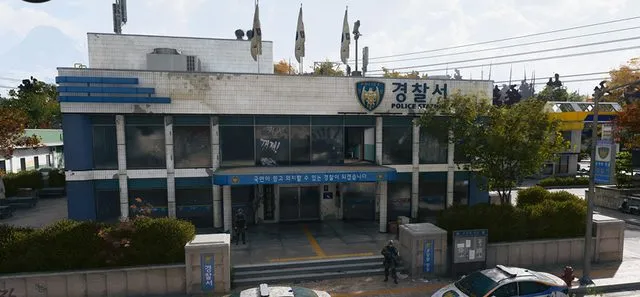 Guide · MissionsMW4 DMZ Police Station locations: Hostile Force and armory