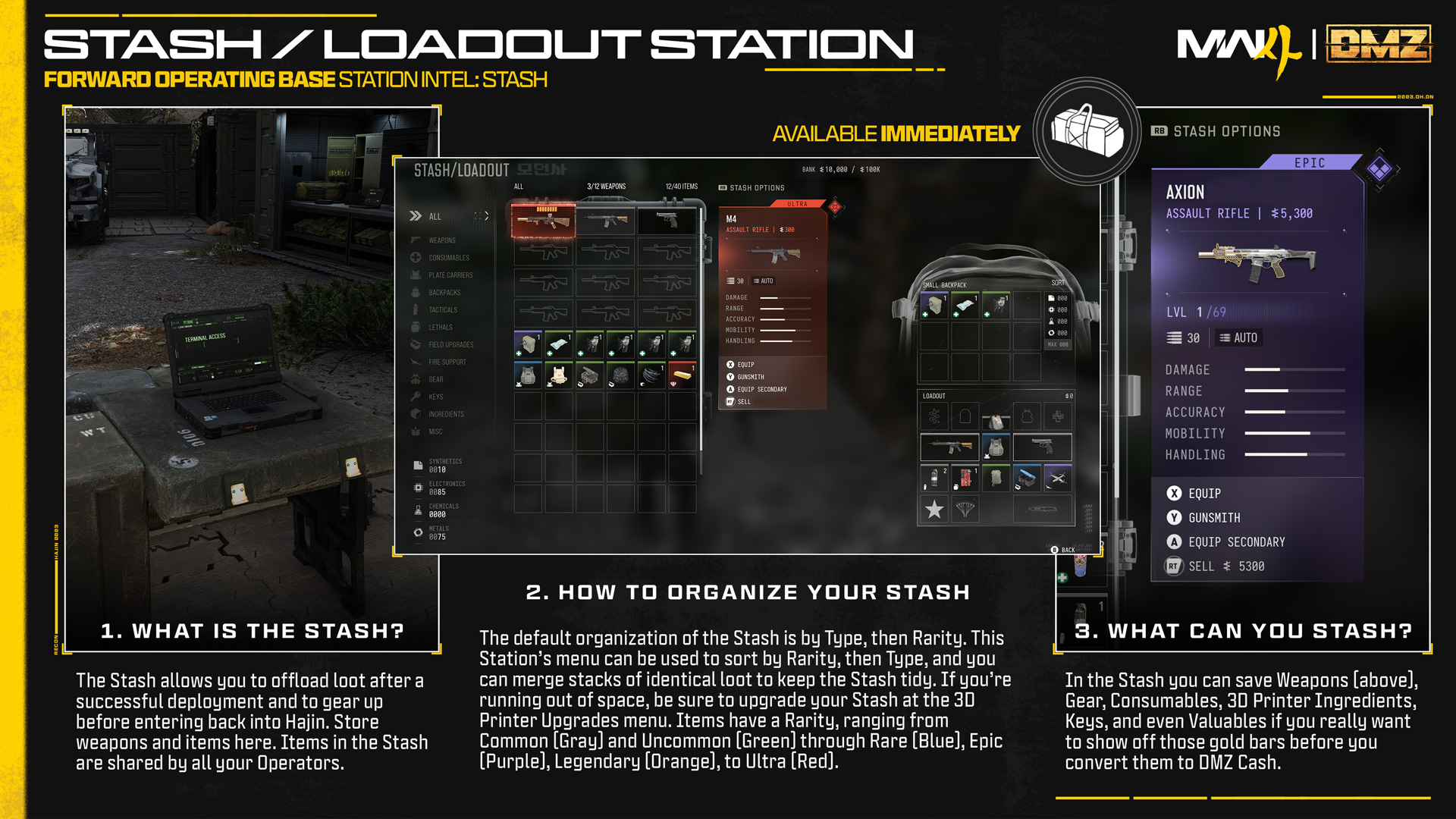
MW4 DMZ Stash full: clear Overflow before deploying
Resolve pending Overflow, create usable space and recheck the deployment screen.
The October 25 notes say players must reconcile their Overflow Stash before the next deployment. At the Stash/Loadout station, review pending items, make room using the available inventory actions and confirm Overflow is resolved. A full ordinary Stash and the separate Free Loadout fix are different checks.
- Resolve Overflow before the next deployment
- Items and weapons have separate Stash capacities
- Merge compatible stacks before discarding supplies
- Unopened Survival Kits can stay in their station
An Overflow warning needs an inventory check before another deployment. The October 25 patch notes say players must reconcile their Overflow Stash first. Treat that pending state separately from an ordinary Stash that happens to be full.
This guide addresses the blocked departure. For permanent capacity upgrades, use the FOB priorities guide; there is no need to buy an upgrade before checking whether existing space can be recovered.
Identify which storage is full
Open the Stash/Loadout station and inspect the pending state shown by your game. Identify whether the shortage concerns general items, weapons or unresolved Overflow. The official starting Stash separates item capacity from weapon capacity.
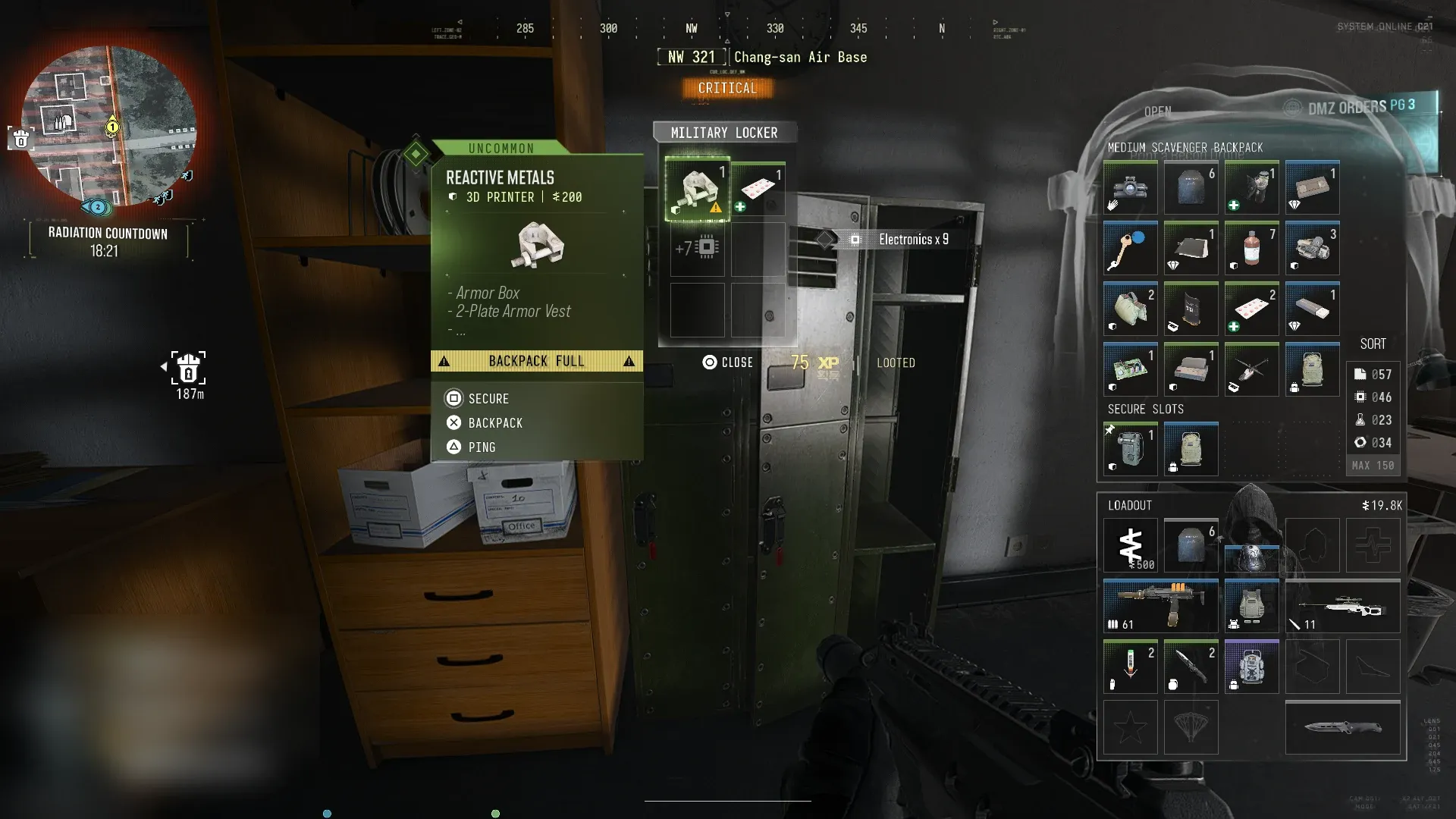
Basic resources are another distinction. Synthetics, Electronics, Chemicals and Metals use resource totals rather than ordinary Stash slots. Physical Printer ingredients remain items, so a large Metals balance and a bag of Reactive Metals are different storage questions.
Read any Overflow message before selling something. A free item slot is useful only if it resolves the actual pending inventory state.
Make room without losing the next kit
- Reserve the equipment you intend to use next and the ingredients for one selected craft or upgrade.
- Use Merge for compatible loot stacks. Recheck the resulting space before removing another item.
- Inspect duplicate equipment and keys against your planned run. Keep the item you need rather than selecting only by sale value.
- Compare unwanted items with the available sell or discard actions and the Bank’s remaining capacity.
- Return to the pending Overflow items, use the transfer or disposition options actually offered, and verify the warning clears.
Follow the current action prompts when moving or removing items, then recheck the pending state.
The keep, sell or craft guide helps decide what is surplus. Selling a scarce upgrade input just to remove a warning may create a harder shortage afterward.
Keep new rewards from filling the same space
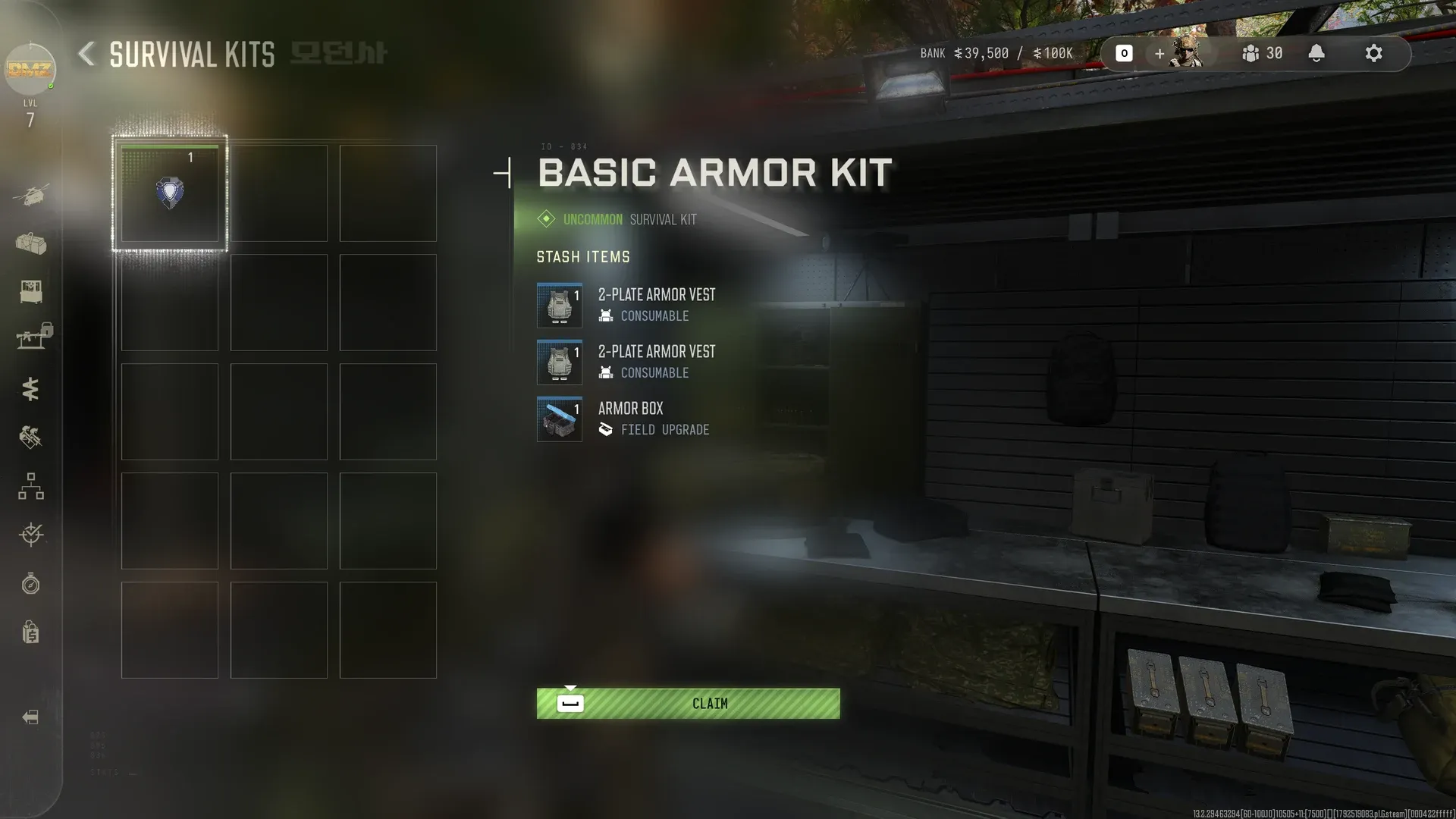
Unopened Survival Kits stay in their station menu until you unpack them. Opening a kit adds its contents to the Stash. Leave optional kits closed while you are trying to resolve a capacity problem.
Review the storage destination before printing spare equipment or buying another item. Those actions can add gear without addressing the departure blocker. Use the Survival Kits guide when deciding which stored bundle supplies the actual gap.
The cited official sources do not state an Overflow limit or expiry. Do not treat pending rewards as a permanent extra Stash or promise that an unclaimed item will remain indefinitely.
Separate Free Loadout from Overflow
The October 29 update fixed inability to select Free Loadout with a full Stash when the Active Duty Operator had no equipment. That fix does not cancel the October 25 requirement to reconcile Overflow.
After resolving the pending inventory, return to Ready Up and inspect the selected Operator and kit. Use the Free Loadout guide if the remaining problem is the selection itself.
Equipping unwanted valuables solely to empty storage takes them into the next run. Check the finished loadout rather than turning a storage problem into an accidental risk.
Recheck before escalating a persistent blocker
Confirm which item category still shows pending content, whether Merge changed the count and whether the deployment message names Overflow. Retry the intended screen after each deliberate inventory change.
If it remains blocked, record the exact warning and relevant counts with the platform and date. Distinguish items accepted into ordinary storage from items still pending. That evidence gives support a clearer problem than a report that the whole inventory disappeared.
Quick questions
Can I deploy while items remain in Overflow?
The October 25 patch notes explicitly require reconciling the Overflow Stash before the next deployment. Resolve the pending items and recheck the current screen.
Does filling the ordinary Stash mean Free Loadout is unavailable?
The October 29 notes fixed that selection failure when an unequipped Active Duty Operator had a full Stash. It is separate from the Overflow restriction.
Do basic resources use ordinary Stash slots?
The official FOB guide says Synthetics, Electronics, Chemicals and Metals use resource totals rather than Stash item slots. Physical Printer ingredients are different.
Should I unpack all Survival Kits to make progress?
Unopened kits remain in their station menu. Open only what you need; unpacking adds their contents to the Stash.
Does Overflow give me permanent extra storage?
No permanent extra storage is established. The official notes require resolving Overflow before deployment and do not specify a capacity or expiry to budget around.
Spotted something wrong? Send a correction.