DMZ weapon-build budgets: three real Gunsmith carts compared
Captured final totals: 5,700 / 36,000 / 99,987 · New purchase and owned-weapon edits are different bills · Account discounts and preview prices can differ
Read the final cart and what it includes before comparing two weapon builds. One player may be buying a new weapon; another may be adding parts to a gun they already own. Their totals do not answer the same question. These three real menu examples show where a budget goes and when extra attachment slots dominate it.
- Captured final totals: 5,700 / 36,000 / 99,987
- New purchase and owned-weapon edits are different bills
- Account discounts and preview prices can differ
Read the final cart and what it includes before comparing two weapon builds. One player may be buying a new weapon; another may be adding parts to a gun they already own. Their totals do not answer the same question. These three real menu examples show where a budget goes and when extra attachment slots dominate it.
Compare the purchase scope first
| Example | Captured final Cash | Purchase scope |
|---|---|---|
| ISO Nightshade + Pulse-MW Laser | 5,700 | New weapon, one part and first slot;5% discount displayed |
| Han 86 + drum + suppressor | 36,000 | Owned weapon;two parts and first/second slots;discount state unknown |
| M4 with five parts | 99,987 | Selected existing weapon;five parts and fourth/fifth slots;5% displayed |
Use these historical shopping examples to understand purchase scope, then check your current final cart. Prices can differ with account discounts and updates. The Gunsmith opens at DMZ Level 10. Confirm access to the weapon and each attachment before budgeting; the Gunsmith guide explains Manuals, weapon levels and paid slots.
Small new purchase: ISO Nightshade and one laser
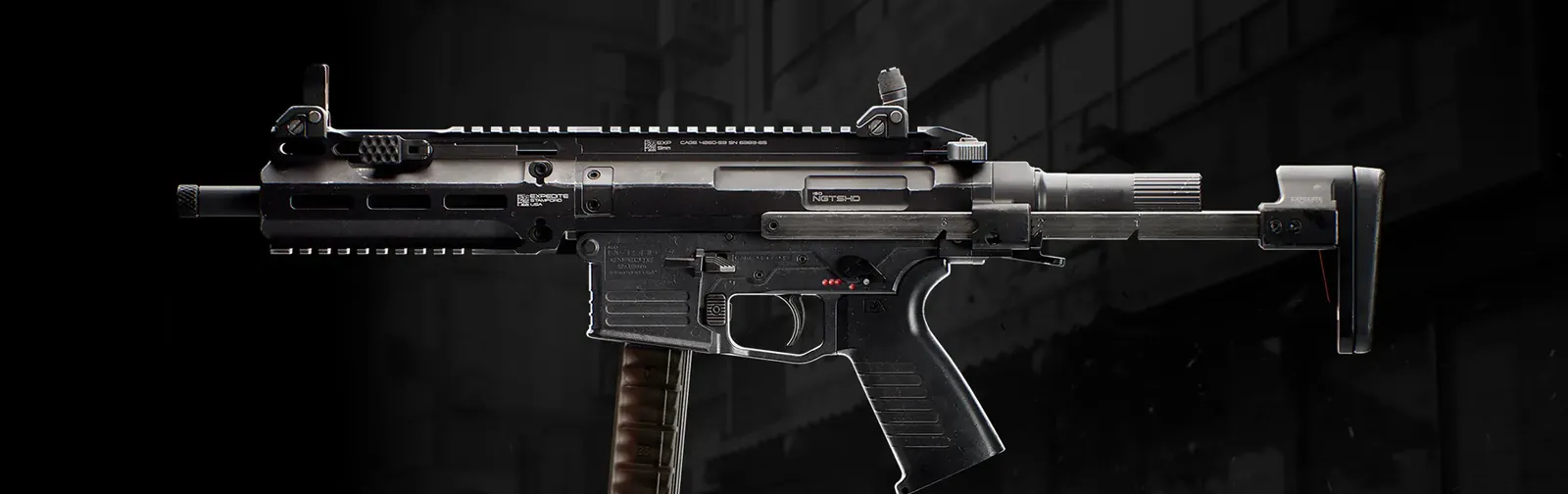
The shown cart contains ISO Nightshade, Pulse-MW Laser and the first attachment slot, with 5% off displayed and a 5,700 final build cost. It is a low-cost example of adding one selected part instead of filling every slot.
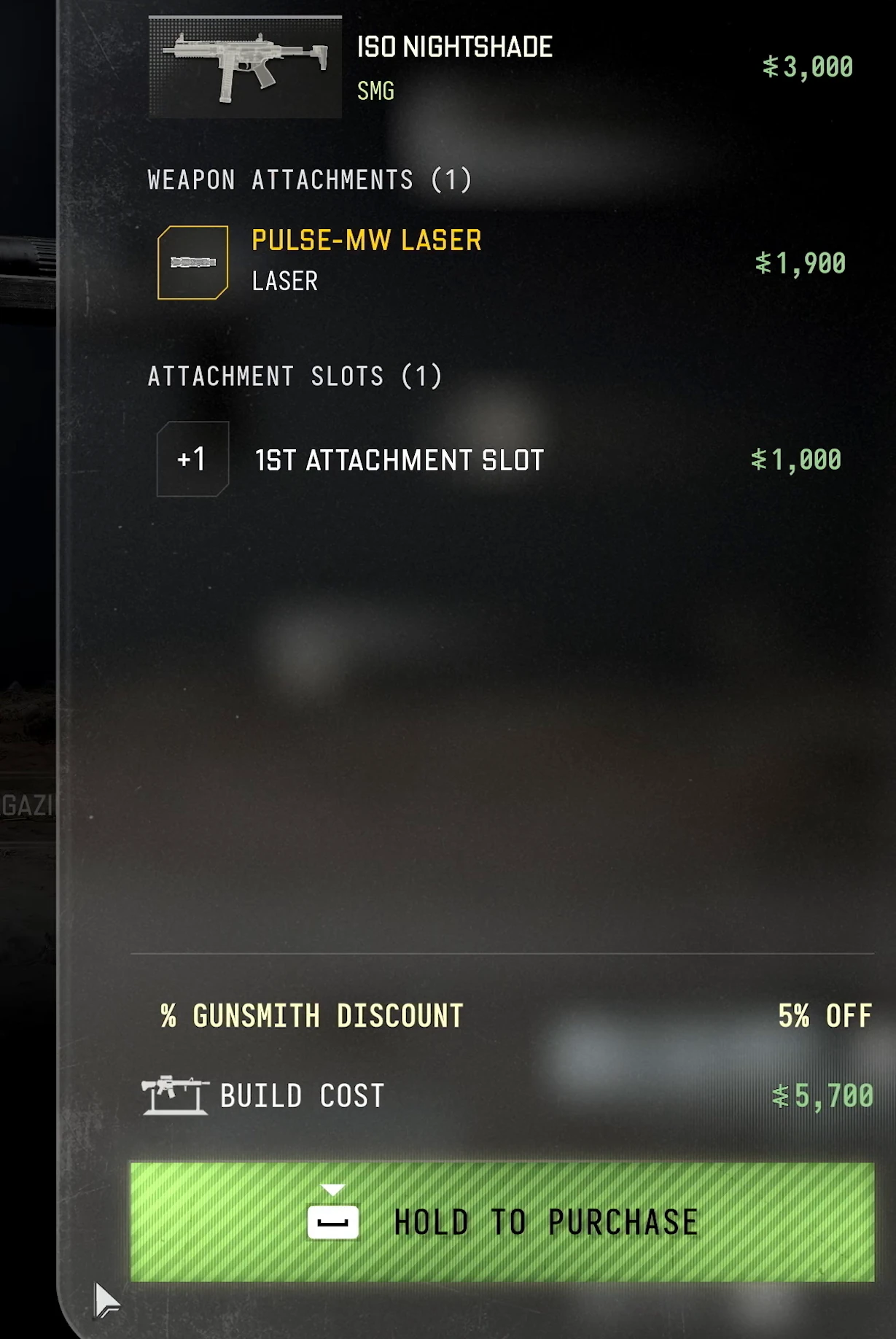
The visible rows show 3,000 for the weapon, 1,900 for the laser and 1,000 for the slot, but those displayed amounts do not sum to the final quote. Do not apply another 5% discount or reverse-engineer a universal price list from that mixed menu presentation. Use your final purchase screen.
Pulse-MW’s official menu effect concerns hip-fire accuracy/recoil and a beam not visible to enemies. That does not make it a suppressor or prove this gun wins a particular fight. If you need a suppressed kill for an Order, check the actual Muzzle part rather than buying a laser to solve a different task.
Two-part upgrade: an already-owned Han 86
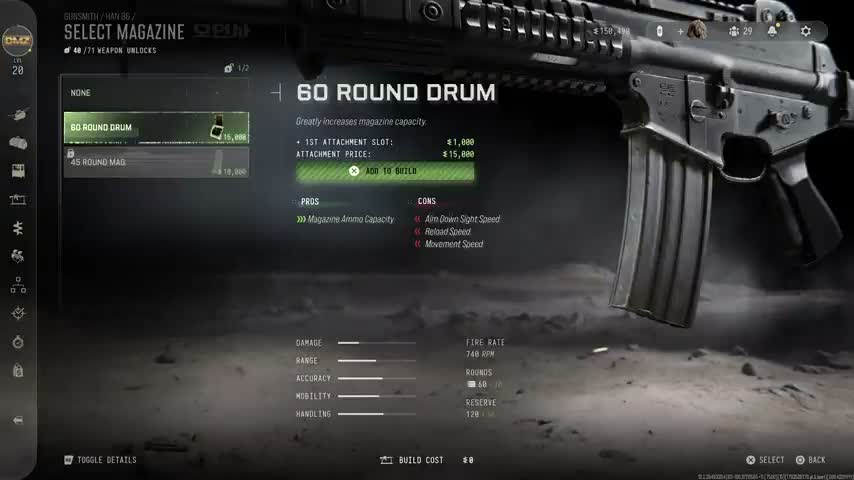
In this Han 86 price example, the cart adds a 60 Round Drum at 15,000 and FSS IS300 at 15,000, plus first/second slots at 1,000 + 5,000: 36,000 total. The base weapon is already owned; this is not the price of a complete replacement from an empty Stash. The account’s discount state is not established.
The drum increases capacity but has aiming, reload and movement trade-offs. The suppressor adds sound suppression with its own handling costs. Check those effects and compatibility in your current menu. An M4-specific level requirement for FSS IS300 does not establish Han 86’s unlock requirement.
If you lose the weapon, price the replacement gun and its proposed slot purchases separately. A previously paid slot on one copy is not a promise of a permanent model-wide entitlement.
Five-part M4: what the 99,987 cart actually covers
| M4 part shown | Slot |
|---|---|
| Schlager Dogfight GI | Optic |
| FSS IS300 | Muzzle |
| 16” Highmark Barrel | Barrel |
| FSS TAC90 Grip | Underbarrel |
| PF1 Fixed Stock | Stock |
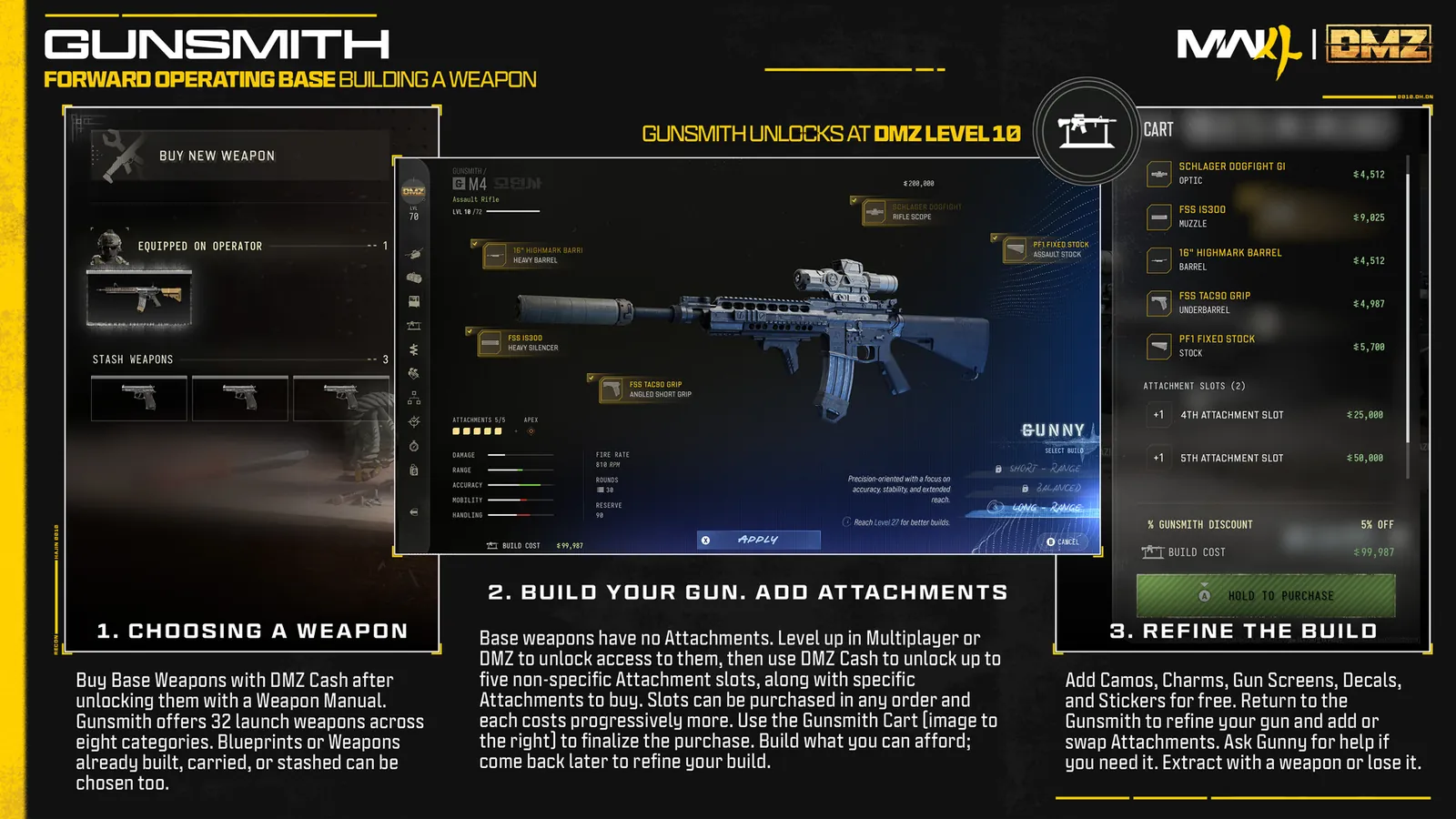
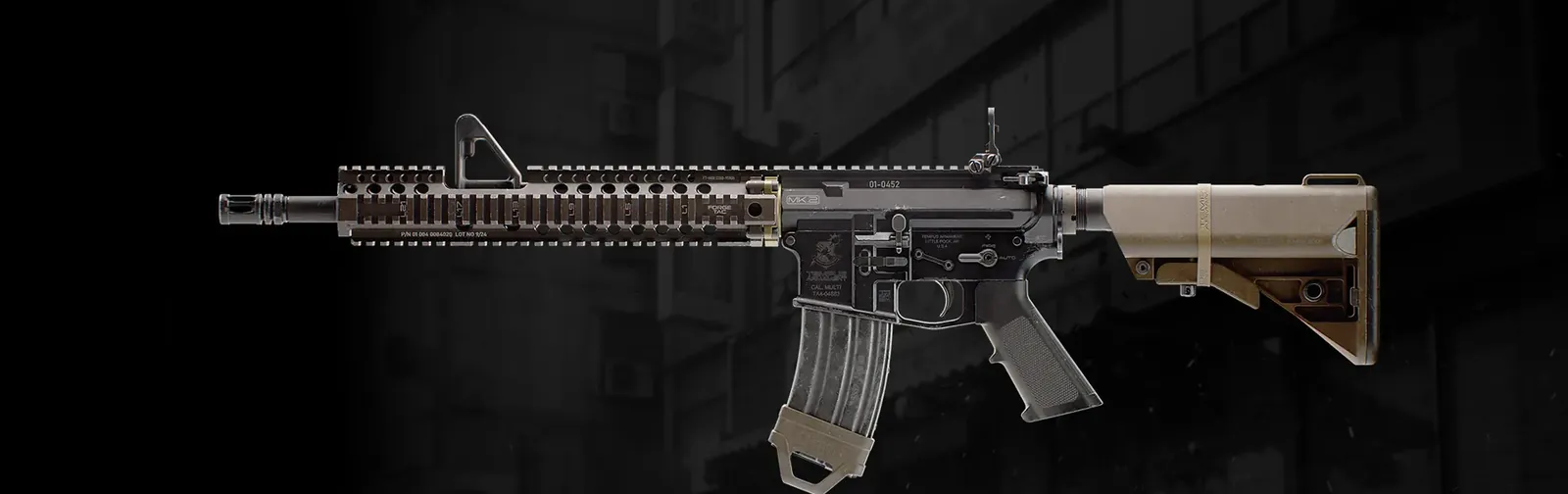
The official menu shows these five parts, charges for the fourth and fifth slots, 5% off and a 99,987 final build cost. It does not show buying a new base M4 and every earlier slot in that same cart. Calling 99,987 the universal price of a fresh five-part M4 would overstate what the image proves.
Do not add or discount every visible row again to replace the final quote. The useful lesson is the purchase scope: late slots can make an edit much more expensive than the bare weapon.
Decide what to buy for the next deployment
Write two budgets: the purchase you are about to confirm and what another loss would cost. Keep armor, healing and a replacement reserve before using all your Cash on attachments. Try the sight picture and handling at the Firing Range and inspect the DMZ Details panel; Multiplayer tuning is not a DMZ damage test.
A looted gun with more attachments may be worth keeping intact rather than rebuilding into a five-slot purchase. Inspect proposed removals and fees before confirming. If you cannot afford another attempt, use the Free Loadout recovery plan rather than treating the most expensive cart as mandatory equipment.
Quick questions
Are these fixed current prices for every account?
No. They are captured menu examples with different purchase scopes and discount contexts. Check your current final cart; do not assume preview row prices apply to every account.
Is the most expensive build the best in DMZ?
No performance ranking follows from cost. DMZ has separate weapon tuning, and these examples do not measure recoil, damage, time to kill or survival rates.
Mentioned in this guide
Spotted something wrong? Send a correction.