
Vault Armory key: casino parking route and separate vault gate
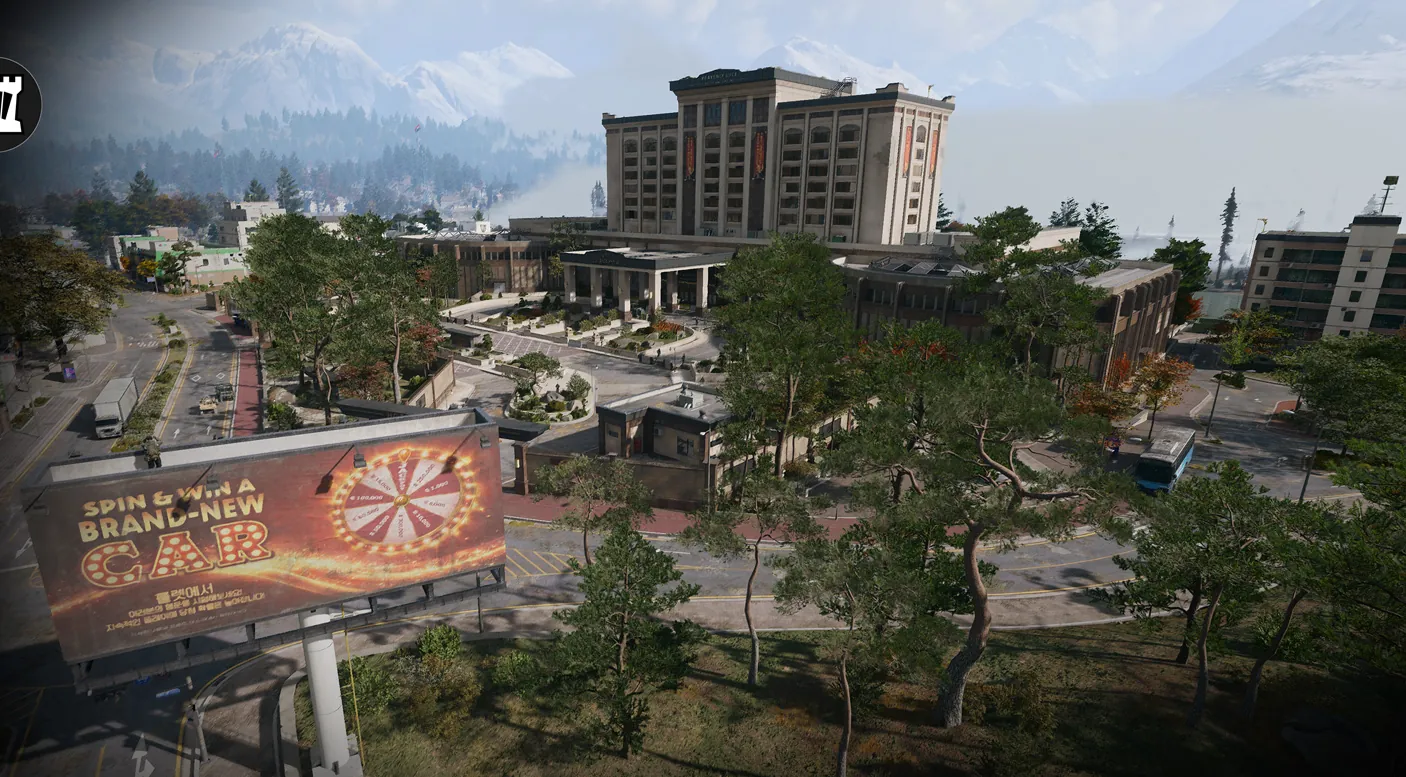
Enter Heavenly Luck Casino and head toward its western side. The recorded route starts near the northern rear entrance.
Use the Vault Armory key in Heavenly Luck Casino's underground parking. Descend from the gaming floor and find the caged armory near the restricted-area door. The parking security gate and main-floor Counting Room use different access.
Find your key or locked room
Browse every key in the Key FinderUse the Vault Armory key in Heavenly Luck Casino’s underground parking. Descend from the gaming floor and find the caged armory near the restricted-area door. The parking security gate and main-floor Counting Room use different access.
Open the map search area · Check the matching key
Find the named entrance
- Enter Heavenly Luck Casino and head toward its western side. The recorded route starts near the northern rear entrance.
- Take a stairwell down to the underground parking level; watch the garage lanes while crossing.
- Look for the grey door beside the Restricted Area sign, then the mesh-caged room with a counter window.
- Read Vault Armory at the cage door and use that key, rather than trying it on the security-system gate.
Three casino destinations, three different checks
Counting Room Vault is the main-floor Cashier route. Vault Armory is the parking-level keyed cage. A nearby gate explicitly opens through the security system; this armory key is not its solution. Silent Ledger’s mission vault is another objective to follow separately.
What the room search establishes
Recorded searches include weapon lockers, bags, rifle cases and server blades. One separate opening contains a PPSH-41 Manual; it is not guaranteed. Extract with a found Manual to retain the unlock, and distinguish it from a finished weapon in a case.
Mentioned in this guide
Spotted something wrong? Send a correction.
Keep reading
 Guide · Combat & survivalDMZ exfil guide: extraction methods and emergency plans
 Guide · Bosses & PvPField Depot: air-base warehouse and maintenance-room entrance
 Guide · Bosses & PvPMW4 DMZ bosses: Lieutenants, Commanders and the Boss Board
 Guide · Bosses & PvPMW4 DMZ Deathstalker guide: SAM Sites, wreck loot and RF Modules