
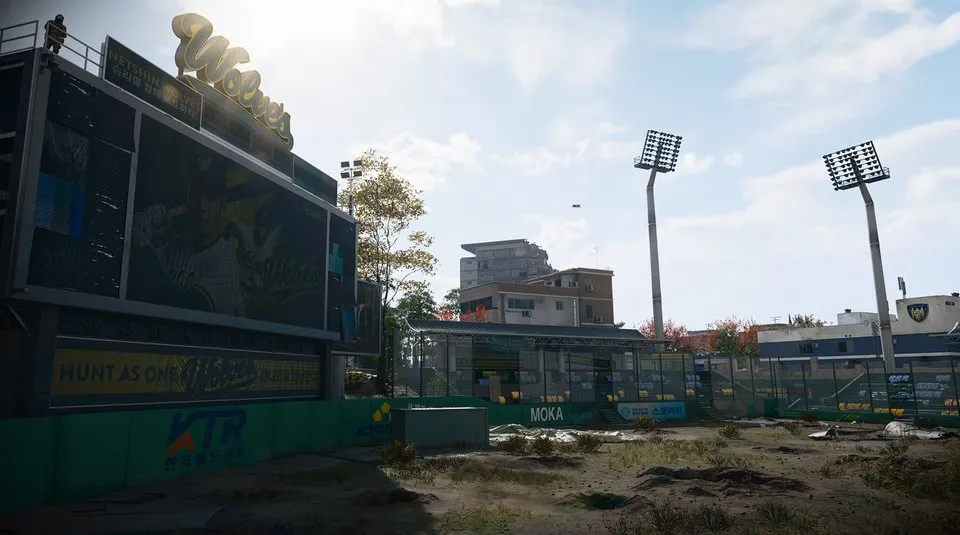
Shop Records Room: Wolves Stadium shop and upstairs door
Go to the shop building south of the clinic in Wolves Stadium, rather than searching the stadium seating.
The Shop Records Room key is used in the shop building south of Wolves Stadium's clinic, in the F7 search area. Use the supermarket/pharmacy frontage to identify the building, climb its stairs and confirm the named room.
Find your key or locked room
Browse every key in the Key FinderThe Shop Records Room key is used in the shop building south of Wolves Stadium’s clinic, in the F7 search area. Use the supermarket/pharmacy frontage to identify the building, climb its stairs and confirm the named room.
Open the map search area · Check the matching key
Find the named entrance
- Go to the shop building south of the clinic in Wolves Stadium, rather than searching the stadium seating.
- Identify the Goh24 supermarket frontage; a recorded approach also uses the pharmacy sign above the building as a landmark.
- Enter the shop and follow its stairwell to the uppermost accessible shop floor shown in the short walkthrough.
- Check the hallway’s frosted-glass door beside an apartment-sale poster, then confirm Shop Records Room on the actual lock.
Use the building and lock when floor descriptions differ
Published directions emphasize either the supermarket interior or the upper-floor approach. Both are search leads for this shop building, not a reason to use the key on any office nearby. Backtrack to the named frontage if the hall and lock do not match.
What the room search establishes
The short route shows where to use the key, not a guaranteed reward. A separate report found this key in a Military Bag at Compound Charlie; that is an individual find, not a fixed spawn or a required first step.
Mentioned in this guide
Spotted something wrong? Send a correction.
Keep reading
 Guide · Combat & survivalDMZ exfil guide: extraction methods and emergency plans
 Guide · Bosses & PvPField Depot: air-base warehouse and maintenance-room entrance
 Guide · Bosses & PvPMW4 DMZ bosses: Lieutenants, Commanders and the Boss Board
 Guide · Bosses & PvPMW4 DMZ Deathstalker guide: SAM Sites, wreck loot and RF Modules