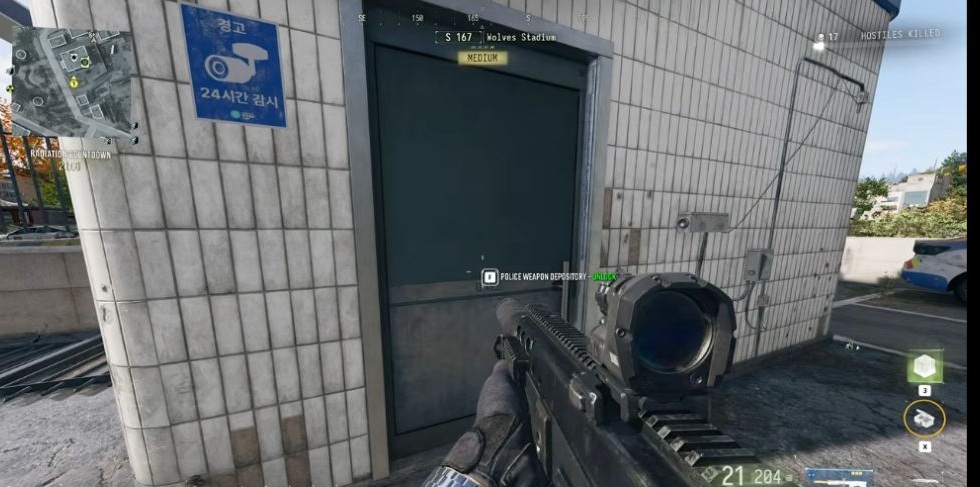
Police Weapon Depository: Wolves Stadium room route
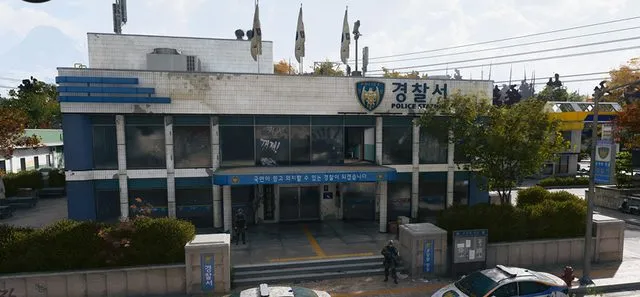
A separate building north of the police station, with a named door and a small computer-and-locker room.
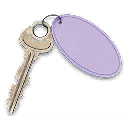
Take a key named Police Weapon Depository to the small separate building north of Wolves Stadium’s police station. Find the dark door beside the blue CCTV sign, match POLICE WEAPON DEPOSITORY at the lock and enter. This is a different destination from the station’s basement Police Station Armory.
- Separate auxiliary building north of the police station
- Blue CCTV sign left of the door; camera high on the right
- Two tall green weapon lockers and a server rack shown inside
Find your key or locked room
Browse every key in the Key FinderPolice Weapon Depository is a separate room visit at Wolves Stadium. Bring the matching named key and use the station as a landmark, rather than following its basement Armory route.
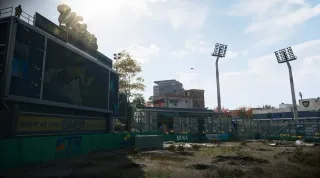
Find the separate building north of the station
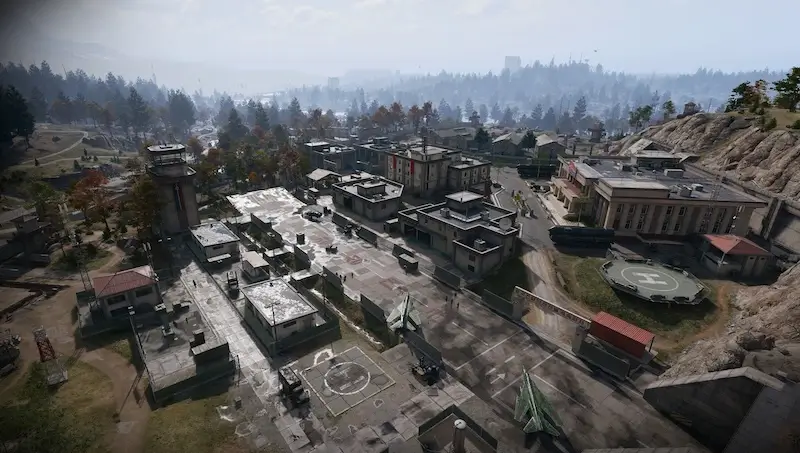
Start at the police station on the east side of Wolves Stadium. Continue north to the small separate building, then go around to its far side. Look for white vertically tiled walls around the entrance.
Look for the blue CCTV / 24 hours sign to the left of the door, a camera high on the right and a police car to the right. Confirm the door name before using a key; nearby police buildings have different locks.
Match the named door before entering
- Approach the dark blue-grey single door in the tiled building.
- Check your carried key and read POLICE WEAPON DEPOSITORY — UNLOCK at the interaction.
- Use the matching key, open the door and enter.
- Use the desk computer and barred window to orient yourself before searching the back of the room.
A reliable pickup location for this key is still unverified. Bring the key with you. If the door name differs, return to the outside landmarks and check your key before trying another lock.
Search the room and choose what to carry
Search the two tall green weapon lockers along the far wall, the server rack to their right and the desk to their left. Check the computer and locker interactions, then compare each item with your current needs. No particular weapon or material quantity is guaranteed.
Leave backpack space before replacing equipment or ingredients. Decide whether to keep searching or begin your extraction with what you have. Check the key afterward; its consumption, durability and repeat-use rules remain unverified.
For the separate office-key and basement-door sequences, use the Police Station Armory guide. Reaching this auxiliary Depository does not complete that other route.
Quick questions
Where is Police Weapon Depository?
In a small separate building north of the police station on Wolves Stadium’s east side. Identify the entrance by the white vertically tiled walls, blue CCTV sign and Police Weapon Depository door name.
Is this the Police Station Armory basement?
No. Police Weapon Depository uses a different named key and room from the police-station basement Armory. Match the key and door name; the keys are not verified as interchangeable.
What should I search inside?
Check the desk computer, two tall green weapon lockers and server rack. Inspect the available containers; no particular weapon, ingredient or quantity is guaranteed.
Mentioned in this guide
Spotted something wrong? Send a correction.