
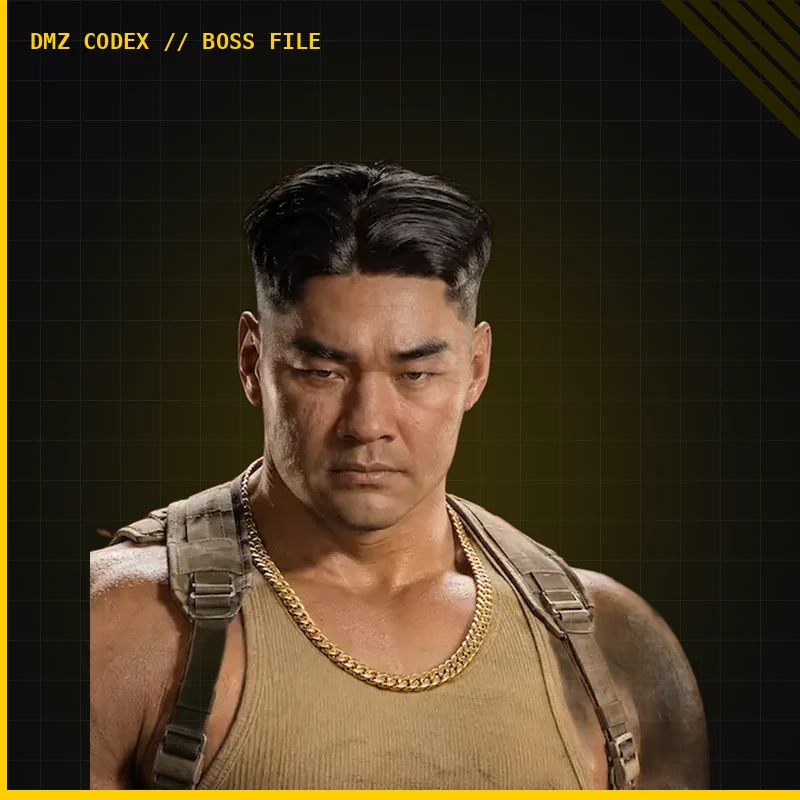
DMZ Jin-Tae boss guide: casino fight and extraction
Reported encounter: Heavenly Luck Casino · Use the current intel marker · Dog Tag extraction is a separate goal
Hunt Jin-Tae using the live Lieutenant marker, prepare for the Heavenly Luck Casino encounter and leave with his Dog Tag if you want extraction progress. The casino has several unrelated objectives and locked rooms; a successful kill does not open all of them.
- Reported encounter: Heavenly Luck Casino
- Use the current intel marker
- Dog Tag extraction is a separate goal
Hunt Jin-Tae using the live Lieutenant marker, prepare for the Heavenly Luck Casino encounter and leave with his Dog Tag if you want extraction progress. The casino has several unrelated objectives and locked rooms; a successful kill does not open all of them.
Set up the hunt
Check Jin-Tae’s current Boss Board card before buying intel. If it is locked, follow the requirements displayed on your account. Purchased Lieutenant intel applies to one deployment; a Hunt Tower instead identifies the nearest active Lieutenant, which may be another target.
Bring a weapon suited to indoor fighting, ammunition, spare plates and healing. Keep Backpack space for the Dog Tag. Decide where you can retreat before entering the gaming floor; do not buy an expensive kit on the assumption that a boss weapon will repay it.
Use the casino’s cover
Original footage shows the encounter at Heavenly Luck Casino, with firing lanes across the gaming floor and balcony area. Follow the current marker rather than treating a particular machine or room as a guaranteed spawn.

A reported alternative is to fall back through the double doors into the rear offices and control the corridor. Use that only when the route is open in your run. The practical aim is a covered angle and somewhere to reload, not a promised AI trap.
Fight without committing the whole squad
- Clear guards that can fire into your retreat route.
- Engage from cover; avoid remaining in the open while reloading or replacing plates.
- Reposition if the Lieutenant or guards change the angle. Do not have everyone push the same exposed doorway.
- Confirm Jin-Tae’s elimination through the named hunt objective before walking out to loot.
Solo, keep the retreat short enough to reach before your armor fails. In a squad, one player can cover the lane while another restores supplies. These are tactical recommendations, not measured damage thresholds or a guaranteed solo method.
Check the body and choose your exit
Read the actual Dog Tag, weapon and key cards. A loose weapon beside another body is not proof of Jin-Tae’s signature drop. Leave room for the tag before exchanging lower-priority loot.
Carrying a Lieutenant’s Dog Tag Case reveals your position to other Operators. Use the exfil guide and extract rather than turning a completed hunt into an unnecessary tour of the building.
Keep the casino tasks separate
Jin-Tae’s Private Lounge needs its own matching access. The Counting Room is another lock, while Silent Ledger has a separate mission sequence. Choose any extra stop before the hunt, and abandon it if the tag run becomes too exposed.
Quick questions
Do I need the Private Lounge key to start the hunt?
The Lieutenant hunt and the Private Lounge lock are separate tasks. Follow the active intel marker for Jin-Tae; use the matching key if you also visit his lounge.
Is his signature weapon guaranteed?
No guaranteed signature-weapon or room-key drop is established. Check the actual body and item cards rather than treating a recorded reward as fixed loot.
Spotted something wrong? Send a correction.
Keep reading
 Guide · Bosses & PvPMW4 DMZ bosses: Lieutenants, Commanders and the Boss Board
 Guide · Combat & survivalDMZ exfil guide: extraction methods and emergency plans
 Guide · MissionsMW4 DMZ Silent Ledger: generator, basement vault and extraction Guide · Loot & craftingMW4 DMZ Counting Room Vault key: find the casino's main-floor door